Best microSD for Switch games? Avoid lag!

Why Your Nintendo Switch Needs a Fast microSD Card
The Nintendo Switch is a fantastic portable console, but its internal storage often fills up quickly, especially with digital game purchases. While expanding storage with a microSD card is straightforward, not all cards are created equal. A slow microSD card can significantly impact your gaming experience, leading to longer loading screens, stuttering gameplay, and overall frustrating lag. To truly enjoy your Switch library, investing in a high-speed microSD card is essential.
Understanding microSD Card Speed Ratings
When selecting a microSD card, several key speed ratings indicate its performance:
- UHS Speed Class (U1, U3): U1 guarantees a minimum write speed of 10 MB/s, while U3 guarantees 30 MB/s. For Switch games, U3 is highly recommended.
- Video Speed Class (V10, V30): Similar to UHS, V30 guarantees a minimum write speed of 30 MB/s, which aligns well with U3 performance.
- Application Performance Class (A1, A2): This rating is crucial for devices that run applications directly from the card. A1 offers a minimum random read of 1,500 IOPS and random write of 500 IOPS. A2 significantly boosts this to 4,000 IOPS random read and 2,000 IOPS random write. For Switch games, which involve frequent small data accesses, an A2-rated card provides a noticeable performance boost, reducing load times.
Always look for cards with U3 and A2 ratings to ensure the best possible performance for your Nintendo Switch.
Recommended microSD Cards for Nintendo Switch
Based on performance, reliability, and value, certain brands and models consistently stand out:
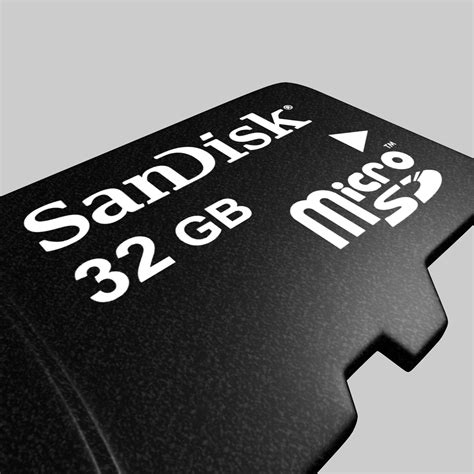
SanDisk microSDXC for Nintendo Switch
SanDisk offers officially licensed Nintendo Switch microSD cards, easily identifiable by their iconic red and blue branding. These cards are specifically optimized for the Switch, offering U3 and A1 ratings, ensuring consistent and reliable performance. They come in various capacities, from 64GB up to a massive 1TB.
Samsung EVO Select/Plus microSDXC
Samsung’s EVO Select and EVO Plus lines are excellent alternatives. These cards typically boast U3 and A2 ratings, delivering fast read and write speeds that significantly improve game loading times and overall responsiveness. They are highly reliable and offer a great balance of price and performance, making them a top choice for Switch owners.
![🔥 [90+] Samsung Logo Wallpapers | WallpaperSafari](/images/aHR0cHM6Ly90czIubW0uYmluZy5uZXQvdGg/aWQ9T0lQLnl2czNvanp3OVZNaVFRVXU0WW45SVFIYUVLJnBpZD0xNS4x.webp)
Lexar PLAY microSDXC
The Lexar PLAY series is another strong contender, specifically designed for portable gaming devices. These cards feature U3 and A2 ratings, providing the necessary speeds for demanding Switch titles. Lexar is known for its competitive pricing and robust performance, making them a solid option for expanding your Switch’s storage without breaking the bank.
Choosing the Right Capacity
While speed is paramount, capacity is also a significant consideration. Switch game sizes vary widely, from small indie titles to massive AAA games like The Legend of Zelda: Tears of the Kingdom, which can exceed 18GB. Consider your gaming habits:
- 64GB-128GB: Suitable for players who primarily buy physical cartridges or only have a few digital titles.
- 256GB-512GB: A good sweet spot for most digital-heavy gamers, offering ample space for a substantial library.
- 1TB: For hardcore digital collectors who want to download every game without ever worrying about storage.
Keep in mind that while higher capacity cards are more expensive, they offer convenience by allowing you to store more games without constant management.
Installation and Formatting
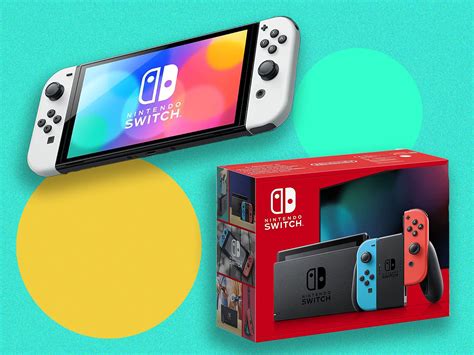
Installing a microSD card in your Nintendo Switch is simple. Ensure your console is powered off, open the kickstand, and insert the card into the slot until it clicks. The Switch will automatically detect and prompt you to format the card if it’s new or from another device. Always let the Switch format the card for optimal compatibility and performance.
Conclusion: Optimize Your Switch Experience
Don’t let slow loading times and in-game lag detract from your Nintendo Switch gaming pleasure. By choosing a high-speed microSD card with at least a U3 and ideally an A2 rating, you’ll significantly enhance your experience. Cards from reputable brands like SanDisk, Samsung, and Lexar offer the reliability and performance needed to keep your games running smoothly, ensuring you can jump into your adventures faster and without frustrating interruptions.