





How to track the best Steam game sales for your wishlist?

For PC gamers, the Steam platform is a treasure trove of incredible titles, but paying full price can often feel like a luxury. Savvy gamers know that the key to expanding their library without breaking the bank lies in tracking sales. Your Steam wishlist isn’t just a dream journal; it’s a powerful tool to alert you to price drops. But how do you ensure you catch every major discount on those coveted games? This guide will walk you through the best methods, from Steam’s own features to advanced third-party tools.
Leveraging Steam’s Built-in Wishlist and Notifications
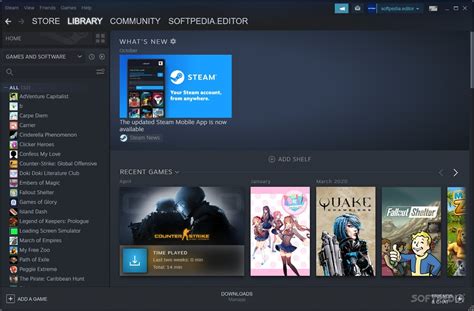
The first and most direct way to track sales is by utilizing Steam’s native features. Every game page has an ‘Add to your Wishlist’ button. Clicking this is the first crucial step. Once a game on your wishlist goes on sale, Steam can notify you directly.
Email and Mobile Notifications
By default, Steam will send you an email notification when a game on your wishlist drops in price. You can manage these preferences within your Steam account settings under ‘Notifications’. Furthermore, if you have the Steam mobile app installed and logged in, you can enable push notifications to receive instant alerts, making it incredibly convenient to act fast on flash sales.
Top Third-Party Price Tracking Websites
While Steam’s built-in features are good, third-party websites offer deeper insights, price history, and more robust alert systems. These tools are indispensable for serious deal hunters.
IsThereAnyDeal (ITAD)
Often considered the gold standard, IsThereAnyDeal aggregates prices from numerous official PC game stores (Steam, Epic Games Store, GOG, Humble Store, etc.). You can import your Steam wishlist directly, set custom price alerts, and view historical low prices, helping you determine if a current sale is truly a good deal. It’s fantastic for comparing prices across different storefronts.
SteamDB
SteamDB is an unofficial database that provides an immense amount of data on Steam games, including comprehensive price history graphs. While it doesn’t offer direct notifications in the same way ITAD does, it’s invaluable for researching past sales patterns and confirming if a game’s current price is its all-time low. Its ‘Sales’ section is also excellent for seeing all current deals.
GG.deals
Similar to IsThereAnyDeal, GG.deals compares prices across many digital stores and includes detailed price history. It also features a ‘Wishes’ list where you can add games and receive email alerts. A standout feature is its ability to highlight games available in bundles, potentially saving you even more money.

Browser Extensions for Instant Price Drops
For those who want price information at their fingertips while browsing Steam, browser extensions are a game-changer.
Augmented Steam (formerly Enhanced Steam)
This popular browser extension (available for Chrome, Firefox, and Edge) overlays valuable information directly onto Steam store pages. It shows price history graphs, warns if a game has been cheaper before, highlights regional pricing, and can even integrate with IsThereAnyDeal to show prices from other stores. It’s an essential tool for instant insights without leaving the Steam website.
Maximizing Your Savings: Tips and Tricks
- Understand Sale Cycles: Steam has predictable major sales (Summer Sale, Winter Sale, Halloween Sale, Spring Sale, Autumn Sale). Knowing these periods can help you anticipate when your wishlist games are most likely to go on deep discount.
- Be Patient: Almost every game eventually goes on sale. If a game isn’t at its historical low, consider waiting.
- Check Bundles: Keep an eye on sites like Humble Bundle and Fanatical. Often, a wishlist game might be part of an inexpensive bundle, giving you extra games at a fraction of the cost.
- Regional Pricing: If you travel or use a VPN, be aware of regional pricing differences, though Steam has measures to prevent abuse.
Conclusion
Tracking the best Steam game sales for your wishlist doesn’t have to be a full-time job. By combining Steam’s built-in notification system with powerful third-party tools like IsThereAnyDeal and SteamDB, and enhancing your browsing with extensions like Augmented Steam, you’ll be well-equipped to snag your desired titles at their lowest prices. Happy gaming, and happy saving!



