Best Nintendo Switch SD card? Avoid storage issues for big games.
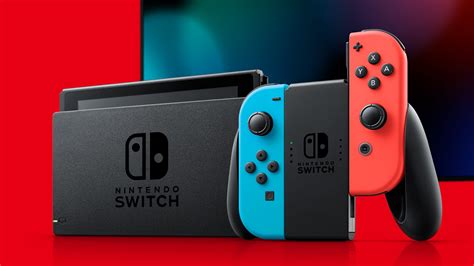
The Nintendo Switch, a marvel of portable gaming, comes with a rather modest 32GB or 64GB of internal storage (depending on the model). While this might seem sufficient for a few small indie titles or physical game save data, it quickly becomes a bottleneck for anyone embracing digital downloads or playing modern AAA games. Games like The Legend of Zelda: Tears of the Kingdom, Pokémon Scarlet and Violet, or even just a handful of smaller titles can gobble up that space in no time, leaving you with frustrating “storage full” messages.
Why an SD Card is Non-Negotiable for Switch Owners
Modern video games are larger than ever, and digital versions often require significant storage space. Even if you prefer physical cartridges, many games still download substantial updates, DLC, and save data directly to your console’s internal memory. An SD card (specifically a microSDXC card) is the official and most convenient way to expand your Switch’s storage capacity, allowing you to download more games, updates, and DLC without constantly deleting and re-downloading content.
Key Factors When Choosing Your Switch SD Card
Capacity: How Much Space Do You Really Need?
This is often the first and most critical decision. While 64GB or 128GB might be a good starting point for casual gamers, serious digital collectors should aim higher. Many popular titles exceed 10GB, and some even push past 20GB or 30GB. A 256GB card is a solid all-rounder, offering ample space for a good library. For the most avid gamers, 512GB or even 1TB cards are available, providing vast storage for dozens of large games. Consider your gaming habits – do you buy many digital games, or mostly physical with a few downloads?
Speed: A Crucial Performance Metric
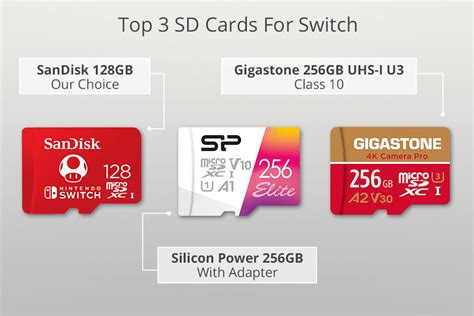
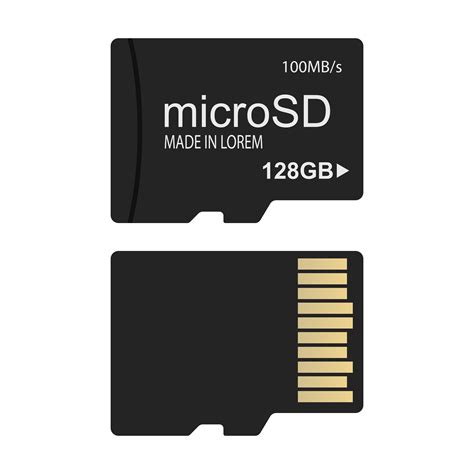
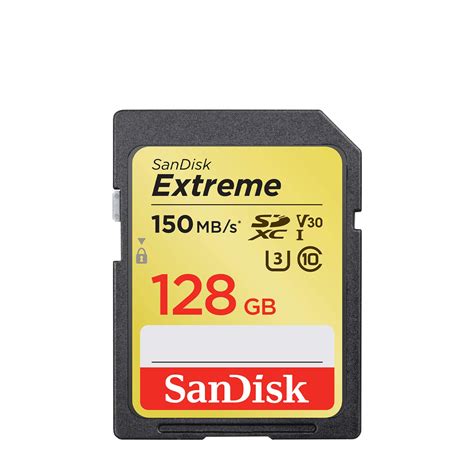
While the Switch itself doesn’t fully exploit the absolute fastest speeds available on some high-end microSD cards, speed still matters. You’ll want a card that’s at least UHS-I (Ultra High Speed Class 1) compatible, which virtually all modern microSDXC cards are. Look for cards with a “U3” speed class (often indicated by a ‘3’ inside a ‘U’ symbol) and an “A1” or “A2” application performance class rating. A1 and A2 ratings signify better random read/write performance, which is beneficial for loading games and navigating menus. The Switch caps out its read speeds around 100MB/s, so don’t feel pressured to buy cards advertised with much higher numbers – they won’t offer a significant advantage on the Switch itself.
Top Recommendations for Nintendo Switch SD Cards
When it comes to reliability and performance, certain brands consistently deliver. SanDisk, Samsung, and Lexar are household names in storage, and their microSDXC cards are widely trusted by the gaming community.
SanDisk Ultra/Extreme microSDXC (Licensed by Nintendo)
SanDisk offers officially licensed Nintendo Switch microSD cards, which often come in fun designs and guarantee compatibility. While these might carry a slight premium, their standard Ultra or Extreme lines offer excellent value and performance. The SanDisk Extreme cards, in particular, provide fantastic speeds for the price point, ideal for the Switch.
Samsung EVO Select/Plus microSDXC
Samsung’s EVO series cards are highly popular for their balance of performance, reliability, and competitive pricing. The EVO Select (often Amazon exclusive) and EVO Plus lines are both excellent choices, offering U3 and A2 ratings that are perfect for Switch gaming.
Lexar PLAY microSDXC
Lexar has re-emerged as a strong competitor in the storage market. Their PLAY series microSDXC cards are specifically designed for gaming and mobile devices, offering good speeds and capacity options at reasonable prices.
Installing and Managing Your New SD Card
Installing a microSD card into your Nintendo Switch is straightforward. Simply open the kickstand on the back of the console, and you’ll see a small slot. Insert the card with the label facing down until it clicks into place. The Switch will automatically recognize the card and format it if necessary. You can then navigate to System Settings > Data Management to see your storage breakdown and move data between the console and the SD card.
Avoiding Future Storage Woes
Investing in a high-quality, high-capacity microSD card is one of the best upgrades you can make for your Nintendo Switch experience. It eliminates the constant worry of running out of space, allowing you to download new games and updates without hesitation. With the right SD card, your Switch library can grow as much as your gaming appetite demands, ensuring uninterrupted enjoyment of all the fantastic titles the platform has to offer.