





What’s the best external storage for Switch, PS5, Xbox to fit more games?

Why You Need External Storage for Your Gaming Console
Modern video games are larger and more graphically intensive than ever, quickly filling up the internal storage of even the newest consoles. Whether you own a Nintendo Switch, PlayStation 5, or an Xbox Series X|S, running out of space is an inevitable frustration. Expanding your console’s storage allows you to keep more games installed, avoid constant deletions and re-downloads, and spend more time gaming.
However, not all external storage is created equal, and each console has its own unique requirements and limitations. Understanding these differences is crucial to choosing the best and most cost-effective solution for your gaming needs.

Nintendo Switch: MicroSD Cards Are Your Only Option
The Nintendo Switch relies exclusively on microSD cards for expandable storage. Unlike its console counterparts, you cannot connect an external HDD or SSD via USB to play games. The console supports microSD, microSDHC, and microSDXC cards.
Key Considerations for Switch:
- Speed: Look for cards with a UHS-I speed class rating (U1 or U3) and an Application Performance Class (A1 or A2) for faster loading times.
- Capacity: While smaller cards are cheaper, given the average size of Switch games, a 128GB, 256GB, or even 512GB card is highly recommended. 1TB cards are also available for serious collectors.
- Brands: Reputable brands like SanDisk, Samsung, PNY, and Kingston offer reliable performance.
Installing a microSD card is simple: just open the kickstand on the back of your Switch and insert the card into the slot. The console will prompt you to format it.
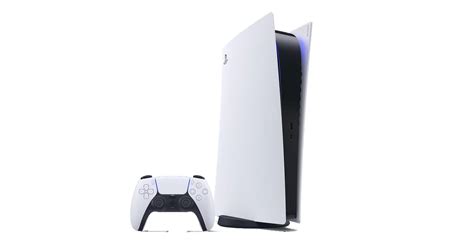
PlayStation 5: Internal M.2 SSDs & External USB Drives
The PS5 has a dual-pronged approach to storage expansion, which can be a bit confusing. You have two main routes:
Internal NVMe M.2 SSD for PS5 & PS4 Games
To play native PlayStation 5 games directly from expanded storage, you must install a compatible NVMe PCIe Gen4 x4 M.2 SSD into the console’s dedicated expansion slot. Sony has strict requirements for these drives:
- Interface: PCIe Gen4 x4 NVMe SSD
- Capacity: 250GB to 8TB
- Read Speed: 5,500 MB/s or faster recommended
- Heatsink: A heatsink is mandatory to prevent overheating. Many compatible SSDs come with one pre-installed.
Installing an M.2 SSD requires opening up the PS5’s side panels, but it’s a relatively straightforward process. This is the only way to expand your PS5’s storage for PS5 titles.
External USB Drives for PS4 Games Only
You can also connect an external USB hard drive or SSD to your PS5. However, these drives can only store and play PlayStation 4 games. PS5 titles can be stored on an external USB drive but cannot be played directly from it; they must be transferred back to the internal SSD or an M.2 expansion drive to be playable.
Recommendations for PS4 Games:
- External SSD: For faster loading times for PS4 games.
- External HDD: For maximum capacity at a lower cost, suitable if speed isn’t a top priority.
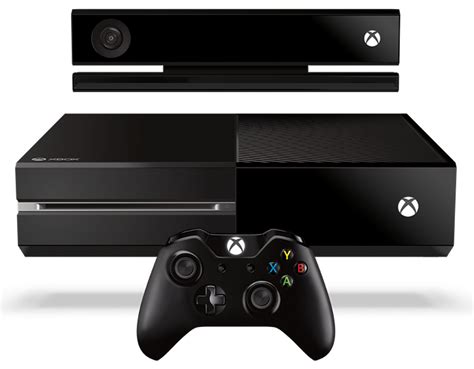
Xbox Series X|S: Proprietary Expansion Cards & External USB Drives
Similar to the PS5, Xbox Series X|S has specific requirements for its next-gen titles and more flexibility for older games.
Xbox Storage Expansion Card for Series X|S Games
To play optimized Xbox Series X|S games directly from external storage, you need a proprietary Xbox Storage Expansion Card. These are custom NVMe SSDs, currently manufactured by Seagate and Western Digital (WD_BLACK C50), which plug into a dedicated port on the back of the console.
- Seamless Integration: These cards offer identical performance to the internal SSD.
- Capacities: Available in 512GB, 1TB, and 2TB options.
- Cost: They are generally more expensive than standard M.2 SSDs due to their proprietary nature.
This is the definitive solution for expanding your playable library of next-gen Xbox games.
External USB Drives for Older Xbox Games & Cold Storage
You can connect any standard external USB 3.0 (or newer) hard drive or SSD to your Xbox Series X|S. These drives are excellent for:
- Playing Xbox One, Xbox 360, and Original Xbox Games: These older titles run perfectly from an external USB drive.
- Cold Storage for Series X|S Games: You can store optimized Series X|S games on an external USB drive, but you must transfer them back to the internal SSD or the Expansion Card to play them. This is useful for archiving games you’re not actively playing.
An external SSD will provide faster loading times for backward-compatible games compared to an HDD.

General Recommendations & What to Look For
When choosing any external storage, keep these factors in mind:
- Capacity vs. Cost: Determine how many games you realistically need to store. Larger capacities offer more convenience but come at a higher price.
- Speed: SSDs are always faster than HDDs. For next-gen games, proprietary solutions or specific M.2 SSDs are required due to their high-speed demands. For older games, even an external HDD offers a significant space increase.
- Reliability: Stick to well-known brands to ensure data integrity and product longevity.
- Ease of Use: MicroSD cards and Xbox Expansion Cards are plug-and-play. PS5 M.2 SSDs require a bit of installation. External USB drives are generally plug-and-play after initial formatting.
Conclusion: The Best Storage for Your Console
The “best” external storage largely depends on your specific console and budget:
- For Nintendo Switch: A high-speed (UHS-I U3, A2 rated) microSDXC card from 128GB to 512GB offers the best balance of performance and capacity.
- For PlayStation 5: An internal PCIe Gen4 x4 NVMe M.2 SSD with a heatsink (5,500 MB/s+ read speed) is essential for playing PS5 games. An external USB SSD is great for your PS4 game library.
- For Xbox Series X|S: The proprietary Xbox Storage Expansion Card (Seagate or WD_BLACK C50) is necessary for playing optimized Series X|S titles. A standard external USB 3.0 SSD or HDD works well for backward-compatible games and cold storage.
By understanding these distinct requirements, you can make an informed decision and ensure your console never runs out of space for your ever-growing game collection.


