





Maximize Switch storage for your growing digital game library?
The Ever-Growing Digital Dilemma
The Nintendo Switch has revolutionized portable gaming, offering a vast and ever-expanding library of digital titles. However, with its relatively modest internal storage of 32GB (or 64GB for the OLED model), many gamers quickly find themselves hitting a wall. As your digital game collection flourishes with indie gems, AAA downloads, and frequent updates, maximizing your Switch’s storage becomes not just a convenience, but a necessity. Don’t let storage limitations hinder your gaming adventures; let’s explore how to effectively manage and expand your console’s memory.
Understanding Your Switch’s Storage Landscape
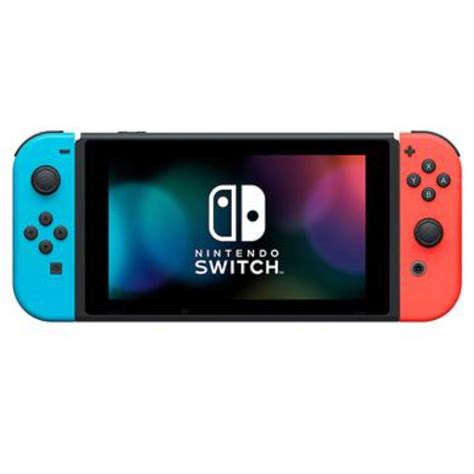
Before diving into solutions, it’s crucial to understand how the Switch handles data. Every Switch comes with a built-in internal NAND memory. While some of this is reserved for the system’s operating software, a portion is available for games, save data, screenshots, and videos. The critical point is that all digital game downloads (eShop purchases) are stored here initially, or on an inserted microSD card.
Save data, on the other hand, is always stored on the internal memory by default. This is an important distinction when considering what to archive or delete.
The MicroSD Card: Your Essential Storage Expansion
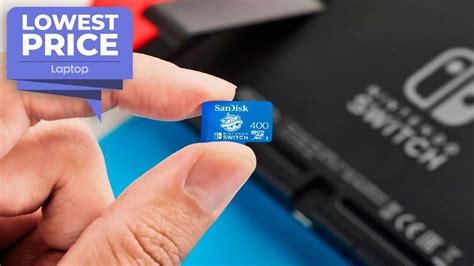
The primary and most effective way to expand your Switch’s storage is by investing in a high-quality microSD card. The Switch supports microSD, microSDHC, and microSDXC cards. For optimal performance, always choose a UHS-I (Ultra High Speed – Phase I) compatible card with a read speed of 60-95 MB/s. While faster cards exist, the Switch’s card reader capabilities mean you won’t see much benefit from cards exceeding these speeds, making them an unnecessary expense.
Recommended Sizes:
- 128GB-256GB: Good for casual gamers or those with a mix of physical and digital titles.
- 400GB-512GB: An excellent sweet spot for most digital-heavy users, offering significant space without breaking the bank.
- 1TB-2TB: For the ultimate digital hoarders. While 1TB cards are readily available, 2TB cards are newer and more expensive but offer unparalleled capacity.
Installing a microSD card is simple: just open the kickstand on the back of your Switch and insert the card into the slot. The system will recognize it automatically.
Smart Data Management: Archiving vs. Deleting
Even with a large microSD card, periodically managing your data is a good habit. The Switch offers two main options for removing games from your active storage:
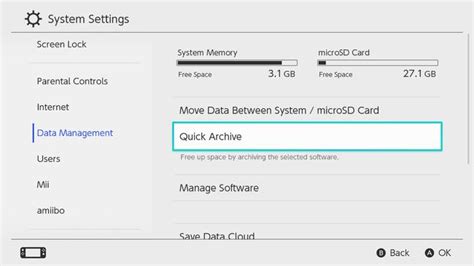
- Archive Software: This removes the game data from your console but keeps its icon on the Home menu and, crucially, preserves your save data. You can redownload the game anytime from the eShop or your user page. This is the recommended method for games you might want to play again.
- Delete Software: This removes both the game data and its icon from your Home menu. While your save data might be preserved on the internal storage (depending on the game and whether it’s tied to an online save), it’s generally a more drastic step. Only use this for games you’re certain you won’t replay or when you need to completely clear space.
To manage software, go to System Settings > Data Management > Manage Software. Here you can see how much space each game is taking up and choose to archive or delete.
Leveraging Nintendo Switch Online Cloud Saves
While save data is stored internally by default, a subscription to Nintendo Switch Online (NSO) provides access to Cloud Saves for most titles. This is a critical backup feature that protects your progress even if your console is lost or damaged. It also allows you to transfer save data between consoles more easily. Regularly ensuring your save data is backed up to the cloud (which happens automatically for NSO subscribers when connected to the internet) provides peace of mind.
Tips for a Tidy and Accessible Digital Library
- Prioritize Downloads: Install larger, frequently played digital titles on your microSD card to keep your internal memory freer for save data.
- Regular Audits: Periodically check your “Manage Software” section. Are there games you finished months ago that you’re unlikely to replay? Archive them.
- Consider Physical: For games you know are massive and will only be played once or twice, consider buying the physical cartridge if available. This saves valuable space on your digital storage.
- Plan Purchases: Before a major eShop sale, check your available storage. Knowing your limits helps avoid impulse buys that you can’t immediately download.

Conclusion
Running out of space on your Nintendo Switch doesn’t have to be a recurring nightmare. By equipping your console with a suitable microSD card, actively managing your installed software, and leveraging the benefits of Nintendo Switch Online, you can ensure your digital game library has all the room it needs to grow. Enjoy uninterrupted gaming and keep every adventure at your fingertips!


