





Which microSD card is best for Switch game storage & performance?
Why Your Nintendo Switch Needs a Good microSD Card
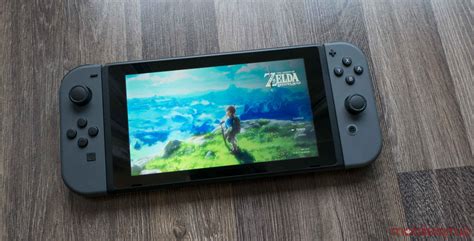
The Nintendo Switch, a marvel of portable gaming, comes with a rather modest 32GB (or 64GB for the OLED model) of internal storage. While sufficient for a few smaller titles, this space quickly diminishes when downloading large digital games, updates, and DLC. Without additional storage, you’ll soon find yourself constantly deleting games to make room for new ones, an inconvenience no gamer wants to face. A high-quality microSD card is not just an upgrade; it’s a necessity for any serious Switch owner looking to build a substantial digital library and maintain seamless gameplay.
Key Factors for Choosing the Right microSD Card
Not all microSD cards are created equal, and picking the right one for your Switch involves understanding a few critical specifications. Prioritizing these factors will ensure you get a card that meets both your storage needs and performance expectations.
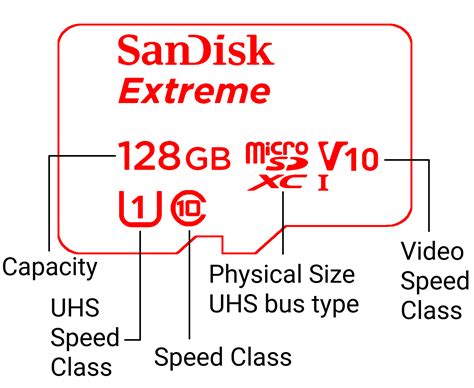
Speed Ratings: U1, U3, A1, A2
The Switch primarily benefits from UHS-I (Ultra High Speed Phase I) microSD cards. Within UHS-I, you’ll see different speed classes:
- UHS Speed Class 1 (U1): Guarantees a minimum sequential write speed of 10 MB/s.
- UHS Speed Class 3 (U3): Guarantees a minimum sequential write speed of 30 MB/s.
Nintendo recommends UHS-I compatible cards with a transfer speed of 60 to 95 MB/s. While U1 cards work, U3 cards offer better performance, especially for larger games and those with frequent loading screens. Additionally, you might see Application Performance Class ratings:
- A1: Minimum random read IOPS of 1,500 and random write IOPS of 500, with a sustained sequential writing speed of 10 MB/s.
- A2: Minimum random read IOPS of 4,000 and random write IOPS of 2,000, with a sustained sequential writing speed of 10 MB/s.
The Switch doesn’t fully leverage the higher random read/write speeds of A2 cards as much as a smartphone might, but an A1 or A2 rating typically indicates a card that is generally robust and fast, making U3/A1 or U3/A2 cards ideal.
Capacity: How Much Storage Do You Really Need?
MicroSD cards for the Switch come in various capacities, from 64GB all the way up to 1TB or even 2TB. Consider your gaming habits:
- 64GB-128GB: Good for casual players who own mostly physical games and only download a few digital titles or indie games.
- 256GB-512GB: An excellent sweet spot for most gamers. This provides ample space for a significant digital library without breaking the bank.
- 1TB+: For hardcore digital collectors or those who want to future-proof their storage for years to come without worrying about space.
Remember, game sizes vary wildly. Titles like The Legend of Zelda: Tears of the Kingdom can be over 18GB, while many indies are less than 1GB. It’s often wise to buy a slightly larger card than you think you’ll need.
Brand Reliability
Stick with reputable brands to avoid counterfeit cards and ensure durability and consistent performance. Trusted names include SanDisk, Samsung, Lexar, and PNY.
Recommended microSD Cards for Nintendo Switch
Based on the factors above, here are some popular and reliable options:
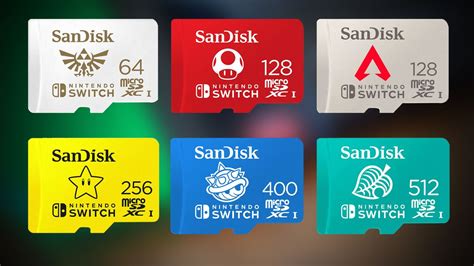
- SanDisk microSDXC for Nintendo Switch: Officially licensed by Nintendo, these cards are optimized for the Switch, featuring read speeds up to 100 MB/s. They come in various capacities with recognizable Nintendo branding.
- SanDisk Extreme / Extreme Pro: These non-licensed cards are often U3 and A2 rated, offering excellent performance that exceeds the Switch’s requirements, making them a great choice for long-term use.
- Samsung EVO Select / EVO Plus: Known for their reliability and value, Samsung’s EVO series cards typically feature U3 and A2 ratings, delivering consistent speeds at a competitive price point.
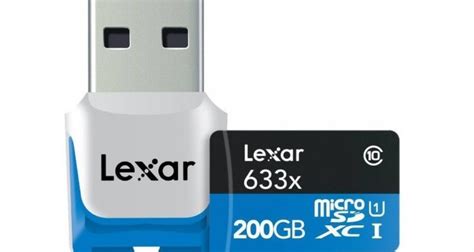
- Lexar PLAY microSDXC: Designed for gaming and multimedia, Lexar PLAY cards are U3 and A2 rated, providing fast loading times and smooth performance.
Installation and Management Tips
Installing a microSD card is straightforward: simply insert it into the slot beneath the kickstand on the back of your Switch. The console will automatically detect it. You can move existing data (though not all save data) to the card via the system settings. For new downloads, the Switch will prioritize the microSD card if one is present.

To keep your Switch running optimally:
- Always power off your Switch completely before inserting or removing a microSD card.
- Periodically check for system updates, as these can sometimes improve external storage handling.
- Purchase from reputable retailers to avoid fake cards, which can lead to data loss and poor performance.
Conclusion
Investing in the right microSD card is one of the best upgrades you can make for your Nintendo Switch. Prioritize cards with a UHS-I U3 and A1 or A2 rating from a reputable brand like SanDisk or Samsung, and choose a capacity that allows for comfortable growth of your digital game library. With the right card, you’ll enjoy faster loading times, expanded storage, and a much more convenient and enjoyable gaming experience, free from the constant struggle of managing limited internal space.


