How to maximize Nintendo Switch storage for big AAA and small indie games?

The Ever-Growing Need for Nintendo Switch Storage
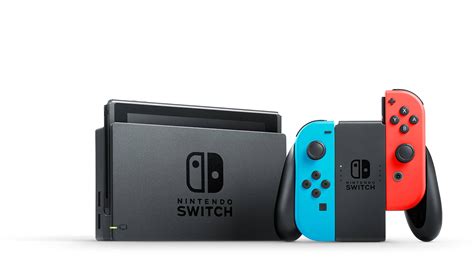
The Nintendo Switch has carved out a unique niche in the gaming world, offering both portable and home console experiences. With an ever-expanding library of games, from graphics-intensive AAA blockbusters to charming, byte-sized indie titles, one common challenge for every Switch owner is managing storage. The console’s internal memory, typically 32GB (or 64GB for the OLED model), quickly fills up once you start downloading a few games. This guide will walk you through the best strategies to maximize your Switch storage, ensuring you always have room for your next gaming adventure.
Understanding Your Switch’s Internal Limitations
Before diving into solutions, it’s crucial to understand the baseline. A standard Nintendo Switch comes with 32GB of internal NAND memory, while the OLED model offers 64GB. However, a significant portion of this is reserved for the system’s operating software and essential updates, leaving users with considerably less actual usable space (often around 25.9GB for the standard model and 54GB for the OLED). A single AAA title like The Legend of Zelda: Tears of the Kingdom can easily consume over 18GB, making it clear why internal storage quickly becomes insufficient.
The Indispensable Solution: MicroSD Cards
The most effective and widely adopted solution for expanding Switch storage is investing in a high-quality MicroSD card. The Switch supports MicroSDHC, MicroSDXC, and standard MicroSD cards, with MicroSDXC being the most common and recommended for larger capacities. These tiny cards plug into a dedicated slot under the console’s kickstand and become the primary storage location for downloaded games, updates, and DLC.
Choosing the Right MicroSD Card
- Capacity: While 64GB or 128GB might seem sufficient initially, consider 256GB, 512GB, or even 1TB if you plan to download many games, especially larger AAA titles. Storage needs grow rapidly.
- Speed: Look for cards rated UHS-I (Ultra High Speed Phase I) with a minimum speed class of U1 (10MB/s write speed) or U3 (30MB/s write speed). Many reputable cards also feature A1 or A2 ratings, indicating optimized performance for running applications, which translates to faster game loading times on your Switch.
- Brand: Stick to trusted brands like SanDisk, Samsung, or Lexar to ensure reliability and avoid counterfeit products.
Once installed, your Switch will automatically prioritize the MicroSD card for new game downloads. You can also move existing data from internal storage to the MicroSD card via the System Settings.

Managing Your Current Game Library: Archive vs. Delete
Even with a large MicroSD card, smart management is key. The Switch offers two main options for removing games from active storage:
- Archive Software: This is the recommended option for games you might want to play again. Archiving removes the game data from your console/MicroSD card but keeps its icon on your home screen and saves your game data. When you want to play it again, simply select the icon to re-download the game. This is perfect for large AAA titles you’ve finished but might revisit.
- Delete Software: This option completely removes the game data and its icon from your home screen. While it also saves your game data (unless specifically prompted to delete it), you’ll need to go to the eShop or your user page to re-download it. Use this for games you are certain you won’t play again, or if you want to completely clear space for new downloads.
Physical Cartridges vs. Digital Downloads: Storage Implications
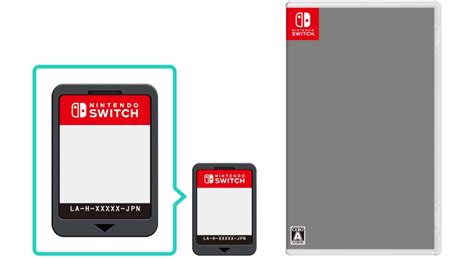
While physical game cartridges don’t consume primary storage for the main game itself, they aren’t entirely free of storage demands:
- Physical Games: The game’s core data is on the cartridge. However, day-one patches, game updates, and any purchased DLC (downloadable content) will still be stored on your console’s internal memory or MicroSD card. For games with frequent, large updates, this can still add up.
- Digital Games: These games are downloaded entirely to your console’s internal memory or MicroSD card. They consume the full advertised game size, plus any updates or DLC. For convenience and often better pricing during sales, many players opt for digital, making large MicroSD cards essential.
Leveraging Nintendo Switch Online for Cloud Saves
While not a direct storage solution for games, Nintendo Switch Online’s cloud save feature is invaluable for storage management. If you archive or delete a game, your progress (save data) is typically retained on the system. However, if your console is lost or damaged, or if you factory reset, those saves would be gone. Cloud saves back up your game progress to Nintendo’s servers, allowing you to re-download a game and pick up exactly where you left off, regardless of how many times you’ve deleted and re-downloaded it.
Practical Tips for Optimal Storage Management
- Regularly Check Storage Usage: Go to System Settings > Data Management to see a breakdown of what’s taking up space. This helps identify which games are the biggest culprits.
- Prioritize Installations: If you have limited space, decide which games you want to play immediately and download those first. Others can wait.
- Delete Demos: Many game demos can be quite large. Once you’ve tried them, delete them to free up space.
- Organize Your Games: While it doesn’t free up space, using folders on your Switch home screen can help you keep track of what you have, making it easier to decide what to archive.
Conclusion
Maximizing your Nintendo Switch storage is a straightforward process once you understand the tools and strategies available. By investing in a high-capacity, fast MicroSD card, intelligently using the archive feature, and leveraging Nintendo Switch Online’s cloud saves, you can ensure your console always has room for both the biggest AAA adventures and the charming indie gems that make the Switch so special. Don’t let storage limitations hinder your gaming experience; take control and enjoy your ever-growing library to the fullest!