What’s the best way to track game deals & get alerts for wishlist price drops?

Never Pay Full Price Again: Your Guide to Tracking Game Deals
In the vast and ever-growing world of video games, finding the titles you want at a great price can feel like a game in itself. With new releases, digital storefront sales, and bundles constantly appearing, it’s easy to miss out on significant savings. Fortunately, a host of powerful tools and strategies exist to help you track game deals and get instant alerts for those coveted wishlist price drops, ensuring you never pay full price again.

Dedicated Deal Aggregators: Your Go-To Hubs
For PC gamers, platforms like IsThereAnyDeal.com are indispensable. This site aggregates prices from dozens of legitimate digital storefronts (Steam, GOG, Epic Games Store, Humble, Green Man Gaming, Fanatical, etc.), allowing you to see the current best price, historical lows, and even set up email alerts for specific games. It’s comprehensive and covers virtually every major PC game.
Console players also have excellent options. DekuDeals.com is a must-have for Nintendo Switch owners, tracking eShop sales, physical game prices, and even amiibo deals. While PlayStation and Xbox don’t have a single dominant third-party aggregator on the same scale, their own storefronts often feature robust sale sections, and sites like CheapShark (which also covers PC) can provide a broader overview.
Leveraging Wishlists for Automated Price Alerts
Your wishlist isn’t just a reminder of games you want; it’s a powerful tool for deal hunting. Most digital storefronts, like Steam, PlayStation Store, Xbox Store, and Nintendo eShop, allow you to add games to a wishlist. When a game on your Steam wishlist goes on sale, Steam will typically send you an email notification. This is the simplest form of price tracking.
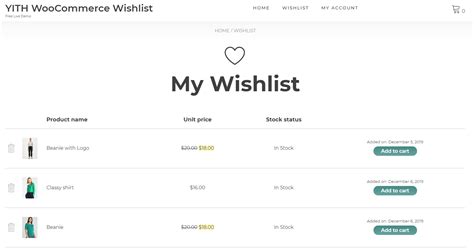
To supercharge your wishlist, integrate it with third-party aggregators. For example, you can import your Steam wishlist directly into IsThereAnyDeal, which then provides more granular control over price alerts, letting you specify a target price or a percentage discount before receiving a notification. Browser extensions like the Enhanced Steam plugin can also add price history graphs directly to Steam store pages, making it easier to spot a true bargain.
Browser Extensions & Mobile Apps for On-the-Go Savings
Beyond dedicated websites, several browser extensions and mobile apps can keep you informed. Tools like Honey or Capital One Shopping (while not game-specific) can automatically apply coupon codes at checkout, which can sometimes stack with existing sales. For physical game deals, particularly on Amazon, CamelCamelCamel is fantastic for tracking price history and setting alerts.
Many deal aggregators also offer mobile apps, allowing you to get push notifications directly to your phone. Searching your app store for “game deals” or the name of a specific aggregator (e.g., “DekuDeals app”) will usually yield good results. These are perfect for catching flash sales while you’re away from your computer.

Community-Driven Deals: The Power of Crowdsourcing
Sometimes the best deals are found through the collective wisdom of other gamers. Reddit communities like r/gamedeals are incredibly active, with users constantly posting sales, bundles, and discount codes from various sources. This is often where you’ll find niche deals or errors that lead to temporary, steep discounts. Similarly, many Discord servers dedicated to gaming or deal hunting will have channels specifically for sharing sales.
Engaging with these communities can also provide valuable insights into whether a deal is truly good, if a game is worth buying, or if a better sale is likely around the corner. Always remember to check the legitimacy of any storefront before making a purchase through a user-submitted link.

Mastering the Art of Savvy Game Shopping
Combining these strategies will turn you into a master game deal hunter. Start by consolidating your desired games onto a primary wishlist, then link it to a robust aggregator like IsThereAnyDeal or DekuDeals for automated alerts. Supplement this with regular checks of community forums like r/gamedeals and leverage browser extensions for added convenience. With a little setup, you can sit back and let the deals come to you, ensuring your game library grows without breaking the bank.