





My Switch storage is full! What’s the best SD card to expand for big and small games?

The dreaded ‘storage full’ message is a familiar sight for many Nintendo Switch owners. With a meager 32GB (or 64GB for the OLED model) of internal memory, it doesn’t take long for digital downloads, game updates, and screenshots to fill up the console, especially if you enjoy a mix of massive AAA titles and charming indie games. Fortunately, expanding your Switch’s storage is straightforward with a microSD card. But what’s the best one for your needs?
Why an SD Card is Non-Negotiable for Switch Owners
While physical game cartridges save space on your internal memory, many gamers prefer the convenience of digital downloads. Furthermore, even physical games often require significant updates and DLC, which are stored internally. An SD card becomes essential not just for housing full digital games, but also for ensuring you have enough room for patches, screenshots, video clips, and future downloads without constantly deleting and re-downloading.
Understanding Switch SD Card Compatibility
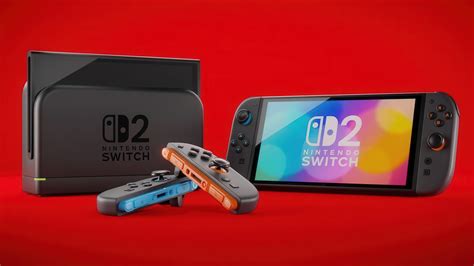
The Nintendo Switch uses microSD cards, specifically microSDHC (High Capacity) and microSDXC (Extended Capacity) cards. While microSDHC cards go up to 32GB, microSDXC cards can range from 64GB all the way up to 2TB. Given the size of modern games, you’ll almost certainly want a microSDXC card. Nintendo officially supports cards up to 2TB, though 1TB is currently the largest widely available and practical option.
What Size Do You Really Need? Finding the Sweet Spot
The ideal capacity depends entirely on your gaming habits:
- 128GB: A good starting point for casual gamers or those who primarily buy physical cartridges. It offers decent space for several large games and many small indies.
- 256GB: The sweet spot for most users. This capacity provides ample room for a substantial digital library, blending big AAA titles with numerous smaller, downloadable-only games without constant worry.
- 512GB: For the avid digital collector or those with a large backlog. This allows you to download dozens of full-size games and keep them all installed simultaneously.
- 1TB: The ultimate choice for serious digital hoovers. If you plan to go all-digital and never want to think about deleting a game again, a 1TB card is for you.
Consider the average size of Switch games: smaller indies might be a few hundred MBs, while AAA titles like The Legend of Zelda: Tears of the Kingdom can be over 18GB, and DOOM (2016) is around 25GB.

Speed Matters (But Don’t Overspend)
While speed is important, the Nintendo Switch has its limitations. It supports a maximum read speed of up to 100MB/s and write speeds of around 30-60MB/s. This means investing in an ultra-high-speed card designed for 4K video recording on professional cameras might be overkill and won’t yield noticeable performance gains.
- UHS-I (U1 or U3) is Key: Look for cards rated as UHS-I (Ultra High Speed Phase I). Within this standard, you’ll see ‘Speed Class 1’ (U1) or ‘Speed Class 3’ (U3). U1 guarantees a minimum write speed of 10MB/s, while U3 guarantees 30MB/s.
- Read Speed: Focus more on a high read speed (ideally 90-100MB/s), as this impacts game loading times.
- A1 vs. A2: You might also see ‘A1’ or ‘A2’ ratings, which denote Application Performance Class. These are more relevant for Android devices running apps directly from the card. While an A1 or A2 card won’t hurt, it’s not a critical factor for Switch game performance.
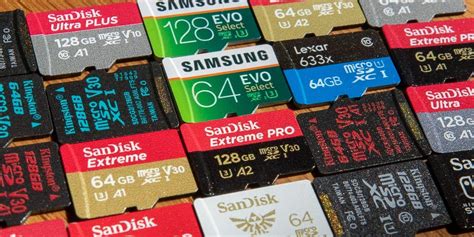
For the best balance of price and performance, a UHS-I card with a read speed of 90MB/s or higher and a U1 or U3 rating is ideal. Brands like SanDisk, Samsung, and Lexar are reliable choices and often offer officially licensed Nintendo Switch branded cards (which are essentially re-branded versions of their standard high-quality cards).
Top Recommendations for Your Switch
While specific models change, here are general recommendations:
- SanDisk Ultra/Extreme: Widely available, reliable, and come in various capacities and speeds that are perfect for the Switch. Look for the A1 rating for good app performance (even if it’s not strictly necessary for Switch games).
- Samsung EVO Select/Plus: Another highly regarded series known for its durability and consistent performance.
- Lexar Play: Specifically designed for gaming devices, offering good speeds and capacities at competitive prices.
Always purchase from reputable retailers to avoid counterfeit cards, which can lead to data loss and poor performance.
Installation and Management Tips
- Power Off: Always power off your Switch completely before inserting or removing a microSD card.
- Insert: The microSD card slot is located under the kickstand on the back of the console. Simply slide it in until it clicks.
- Format: Your Switch will likely prompt you to format the new card. Do so.
- Move Data: You can move downloaded software between the system memory and the microSD card via System Settings > Data Management.
- Automatic Downloads: Once a card is inserted, all new downloads will automatically go to the microSD card first.
Conclusion: Expand Your Horizons
Don’t let a full storage message curb your gaming enthusiasm. Investing in a quality microSD card is the easiest and most effective way to unlock your Nintendo Switch’s full potential, allowing you to seamlessly store and access all your big AAA blockbusters and beloved indie gems without compromise. Opt for a 256GB or 512GB UHS-I card from a reputable brand, and you’ll be set for countless hours of uninterrupted gaming.


