





Best Switch & Console MicroSD cards for big game libraries?

The Ever-Growing Need for Console Storage
For many modern consoles, especially portable powerhouses like the Nintendo Switch and Steam Deck, digital game libraries are growing at an incredible pace. With game sizes often soaring into the tens of gigabytes, the internal storage provided by these devices quickly becomes insufficient. Running out of space can be a frustrating experience, forcing you to constantly delete and re-download games.
This is where high-capacity MicroSD cards become indispensable. They offer a simple, cost-effective, and highly efficient way to expand your console’s storage, allowing you to keep dozens, if not hundreds, of games ready to play without compromise. But with so many options on the market, how do you choose the best one for your precious game library?
What to Look for in a Gaming MicroSD Card
Not all MicroSD cards are created equal, especially when it comes to gaming. Here are the crucial factors to consider:
- Speed (UHS-I, U3, A1/A2): This is paramount for smooth gameplay. Look for cards with a UHS Speed Class 3 (U3) rating and ideally an Application Performance Class A1 or A2. These ratings indicate higher minimum write speeds, which are essential for quickly loading games, transferring data, and avoiding in-game stutter. UHS-I is the standard for most consoles like the Switch; anything higher won’t offer a speed benefit.
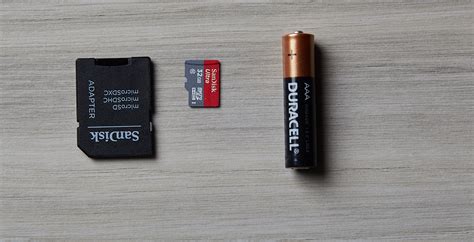
- Capacity: This will depend entirely on your gaming habits. While 128GB might suffice for a few digital titles, avid gamers with large libraries will want to look at 256GB, 512GB, 1TB, or even 1.5TB/2TB cards. Remember, game sizes are only getting bigger!
- Reliability & Brand: Stick to reputable brands like SanDisk, Samsung, Lexar, and PNY. These brands are known for their quality control, durability, and better customer support should anything go wrong. Counterfeit cards are unfortunately common, so purchase from trusted retailers.
Top MicroSD Card Recommendations for Gamers
Based on performance, reliability, and value, here are some of the best MicroSD cards currently available for your gaming console:
SanDisk Extreme / Extreme Pro (and Nintendo-Licensed Cards)
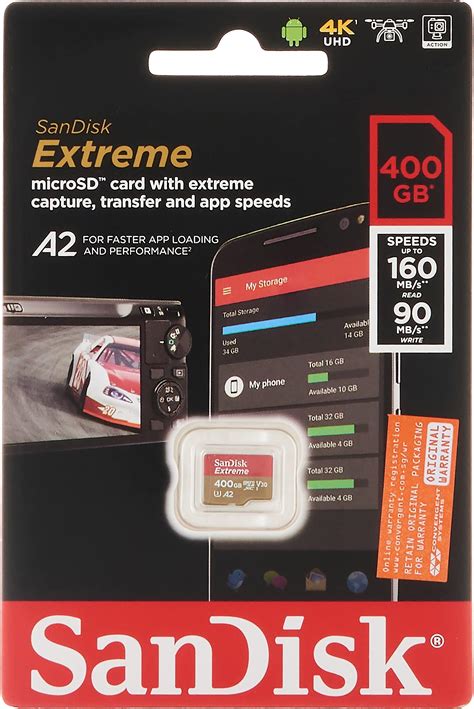
SanDisk is often the go-to brand for many gamers, and for good reason. Their Extreme and Extreme Pro series offer excellent read and write speeds, well exceeding the requirements for most consoles. They are U3 and A2 rated, ensuring fast game loading and smooth performance. SanDisk also offers officially licensed Nintendo Switch MicroSD cards, which come in distinctive branding and are guaranteed to meet the console’s specifications, often at competitive prices.
Samsung EVO Select / EVO Plus
Samsung’s EVO Select and EVO Plus lines are fantastic alternatives, providing a superb balance of performance and value. These cards consistently deliver fast U3 and A2 speeds, making them ideal for expanding your game library. They are also known for their durability and come with Samsung’s strong warranty, offering peace of mind.
Lexar PLAY MicroSDXC
Designed specifically with gamers in mind, the Lexar PLAY series offers robust performance, typically with U3 and A2 ratings. They are a great option for those looking for dedicated gaming storage at a competitive price point, often hitting capacities up to 1.5TB, making them excellent for even the most expansive game collections.
PNY PRO Elite / U3
PNY offers reliable and cost-effective MicroSD cards that perform well for gaming. Their PRO Elite or any U3-rated cards provide good speeds for the price, making them a solid choice if you’re looking to maximize capacity on a budget without sacrificing too much on performance.
Choosing the Right Capacity for Your Library
The sweet spot for capacity depends on your gaming habits. For a casual gamer with a few digital titles and mostly physical cartridges, 256GB might be enough. However, if you primarily buy digital games or play many large titles, 512GB is a more comfortable starting point. For serious collectors or those with extensive digital libraries, 1TB or even 1.5TB/2TB cards are becoming increasingly popular and practical. Consider how many new games you expect to purchase digitally in the coming years when making your decision.

Installation and Maintenance Tips
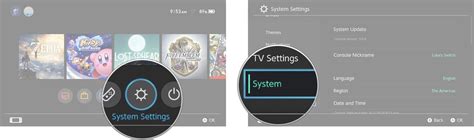
Installing a MicroSD card in most consoles like the Nintendo Switch is straightforward: simply insert it into the dedicated slot. Your console will usually prompt you to format it, which prepares the card for use with your device. Ensure you transfer any existing game data if moving from a smaller card. Always power down your console before inserting or removing the MicroSD card to prevent data corruption.
Never Run Out of Space Again
Investing in a high-quality, high-capacity MicroSD card is one of the best upgrades you can make for your gaming console. It liberates you from the constant struggle of managing limited internal storage, allowing you to build and maintain a vast digital game library without compromise. Choose wisely based on speed, capacity, and brand reliability, and you’ll be set to enjoy countless hours of uninterrupted gaming.


