How to optimize Nintendo Switch storage without deleting game saves?
Understanding Your Switch’s Storage Landscape
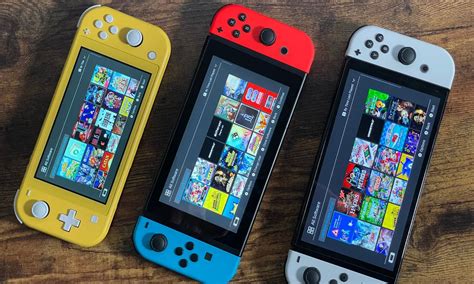
The Nintendo Switch, with its modest 32GB (or 64GB for OLED models) of internal storage, can quickly feel cramped, especially for digital-first gamers. While it’s easy to panic and consider deleting games, the crucial concern for most players is their precious game save data. The good news is that Nintendo Switch game saves are always stored on the console’s internal memory and are separate from game software data. This means you can delete or archive game software without ever touching your save files.
Knowing this distinction is the first step toward smart storage management. Your goal isn’t to indiscriminately delete everything, but to strategically manage the larger game files that consume most of your space, leaving your irreplaceable progress untouched.
The Smart Approach: Archive Software, Don’t Delete
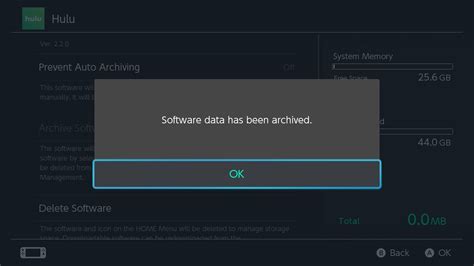
Nintendo offers a convenient feature called “Archive Software.” When you archive a game, the main game data is removed from your console, freeing up significant space. However, its icon remains on your HOME Menu, and more importantly, your save data for that game remains completely intact on your console’s internal storage. If you ever want to play the game again, you can simply redownload it from the eShop, and your progress will be waiting.
To archive a game: Navigate to the game’s icon on the HOME Menu, press the + or – button, select “Data Management,” then “Archive Software.” This is the safest and most recommended method for reclaiming space without risking your hard-earned progress.
Embrace the MicroSD Card: Your Storage Savior
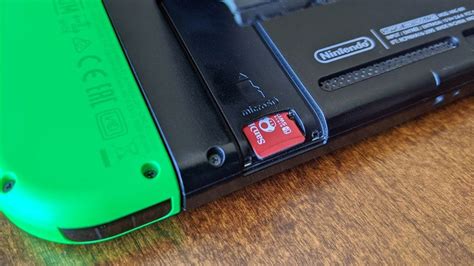
The most effective long-term solution for Nintendo Switch storage woes is investing in a high-capacity microSD card. The Switch supports microSD, microSDHC, and microSDXC cards up to 2TB (though 128GB, 256GB, or 512GB are usually sufficient and more affordable). Once inserted, all new game downloads and software updates will automatically install to the microSD card, preserving your internal storage.
You can also transfer existing downloaded software from your internal memory to the microSD card. Go to System Settings > Data Management > Move Data Between System / microSD Card. Select the games you wish to move, and the system will handle the transfer, again, without affecting your game saves. This is a game-changer for organizing your library.
Tidying Up: Deleting Screenshots and Unnecessary Data
While game software takes up the most space, smaller files can accumulate over time. The Switch allows you to capture screenshots and video clips, which, if left unchecked, can consume a surprising amount of storage. Regularly review your Album (from the HOME Menu) and delete any photos or videos you don’t need or transfer them to a computer or social media.
Furthermore, consider deleting any downloaded game demos you’ve finished or decided not to purchase. These can often be several gigabytes in size and serve no purpose once played. Again, deleting demos will not affect any save data from a full game if you happen to download it later.

Regular Maintenance for a Smooth Experience
To keep your Switch running optimally and prevent storage issues, make data management a regular habit. Check your “Data Management” section in System Settings periodically to see what’s consuming the most space. Prioritize archiving games you’re not actively playing, especially larger titles. Remember, your internal storage should ideally be reserved for game save data and system files, with all large game installations residing on your microSD card.
By understanding how your Switch handles different types of data and utilizing its built-in features like archiving and microSD card support, you can enjoy an expansive game library without ever having to sacrifice your precious game saves.