What’s the best way to expand Nintendo Switch storage for growing game collections?

The Nintendo Switch, a beloved hybrid console, offers an incredible library of games, from expansive RPGs to bite-sized indie gems. However, its modest internal storage – 32GB for the original and Lite models, and 64GB for the OLED model – quickly fills up, especially for players who prefer digital downloads or frequently update their titles. Fortunately, expanding your Switch’s storage is straightforward and highly recommended.
The Essential Solution: microSD Cards
For Nintendo Switch users, the undisputed best way to expand storage is by using a microSD card. The Switch supports microSD, microSDHC, and microSDXC cards, offering a vast range of capacities from a few gigabytes to a whopping 2 terabytes (TB). These tiny cards are specifically designed for devices like smartphones, cameras, and portable consoles, providing high-speed data transfer in a compact form factor.
Choosing the Right microSD Card
When selecting a microSD card for your Nintendo Switch, consider three primary factors: capacity, speed, and brand reliability.
Capacity: How Much Do You Need?
- 128GB – 256GB: A great starting point for most users. It provides enough space for several large AAA titles and numerous smaller games.
- 400GB – 512GB: Ideal for avid gamers with extensive digital libraries who download new titles regularly.
- 1TB or more: For the ultimate collector who wants to keep virtually every digital game they own readily accessible without constant data management.
Remember that some internal storage will always be taken up by the system itself, and game sizes vary wildly. Always aim for slightly more than you think you need.
Speed: Look for U3 and A1/A2 Ratings
The speed of your microSD card directly impacts game loading times and overall performance. Nintendo recommends using a card with a ‘UHS-I (Ultra High Speed Phase I) compatible’ rating and a ‘read speed of 60 to 95 MB/s’. Look for cards marked with:
- U3 (UHS Speed Class 3): This ensures a minimum write speed of 30 MB/s, which is excellent for gaming.
- A1 or A2 (Application Performance Class): While primarily for mobile apps, these ratings indicate strong random read/write performance, benefiting game loading times. A2 is faster than A1.
Reliable Brands
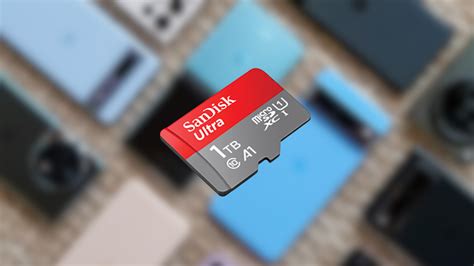
Stick to reputable brands known for quality and reliability, such as SanDisk, Samsung, PNY, and Lexar. Counterfeit cards are unfortunately common; purchasing from trusted retailers can mitigate this risk.
Installation and Data Management
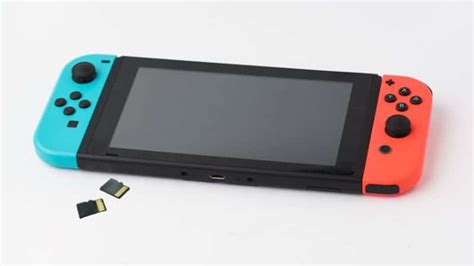
Installing a microSD card is incredibly simple. Power off your Switch, lift the kickstand on the back of the console, and insert the microSD card into the slot with the label facing down until it clicks. That’s it!
Moving Games to Your New Card
While you can’t directly move games from the internal storage to the microSD card via a menu option, you can achieve this by:
- Archiving the software (deletes game data but keeps the icon and save data).
- Re-downloading the game. The Switch will automatically prioritize installing new downloads to the microSD card if one is present.
Save data is always stored on the console’s internal memory and cannot be moved to a microSD card, ensuring it remains safe even if the card is removed.
Other Considerations and Alternatives
While microSD cards are the primary solution, it’s worth noting a few other points:
- Physical Game Cartridges: These reduce the need for digital storage for the base game, though many still require patches and DLC downloads to internal or microSD storage.
- USB Hard Drives (Docked Mode Only): The Switch does not officially support external USB hard drives for game storage, even in docked mode. While some unofficial workarounds exist, they are not recommended due to potential instability and compatibility issues.
Conclusion
For any Nintendo Switch owner struggling with limited space, a high-quality microSD card is not just an upgrade; it’s an essential component for a seamless and enjoyable gaming experience. By choosing a reputable brand, adequate capacity, and a fast-rated card, you can ensure your growing game collection never hits a storage wall, keeping all your favorite titles ready to play whenever you are.