





Optimize Switch storage for big digital games & small indies?

The Nintendo Switch Storage Conundrum
The Nintendo Switch, an incredibly versatile console, faces a common challenge for many of its owners: limited internal storage. With only 32GB (or 64GB for the OLED model) of built-in memory, a significant portion of which is reserved for the system itself, it doesn’t take long for players to run into capacity issues. This becomes particularly apparent when trying to juggle the ever-growing library of massive digital AAA titles alongside the countless charming, albeit smaller, indie games that regularly hit the eShop. Finding the right balance to keep your favorite games readily accessible without constant data management headaches is crucial for an optimal gaming experience.

Understanding Your Switch’s Storage Options
Before diving into optimization strategies, it’s essential to understand how the Switch handles data. All digital games, downloadable content (DLC), software updates, and screenshots are stored on either the console’s internal memory or an inserted microSD card. Game save data, however, is almost always stored exclusively on the console’s internal memory and can be backed up via Nintendo Switch Online’s cloud save feature. Since the internal memory fills up quickly, a high-capacity microSD card is virtually a necessity for anyone planning to download more than a handful of games.
Selecting the Right MicroSD Card for Your Needs
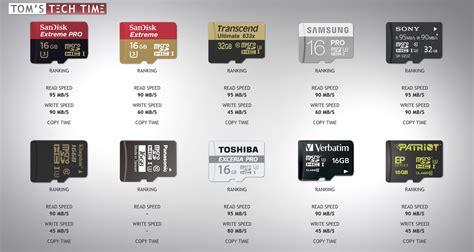
Choosing the correct microSD card is the first and most critical step in expanding your Switch’s storage. Look for cards that are UHS-I compatible, with a speed class of U3 (for faster read/write speeds, translating to quicker game loading) and an A1 or A2 application performance class for optimal game performance. In terms of capacity, here’s a general guide:
- 128GB: Suitable for casual players with a mix of small indies and a few larger titles.
- 256GB: A good balance for most players, offering ample space for a significant library.
- 512GB: Recommended for dedicated digital game collectors or those who frequently play large AAA titles.
- 1TB: The ultimate choice for serious digital hoovers who want almost everything installed.
Investing in a reputable brand also ensures reliability and data integrity. While larger capacities are more expensive, they offer greater peace of mind and less frequent management.
Strategies for Handling Large Digital Games
Big digital games like The Legend of Zelda: Tears of the Kingdom, The Witcher 3: Wild Hunt, or DOOM Eternal can easily consume tens of gigabytes each. Managing these requires a strategic approach:
- Prioritize Actively Played Games: Keep your currently playing or frequently revisited AAA titles installed.
- Archive, Don’t Delete: If you need space, use the ‘Archive Software’ option instead of ‘Delete Software’. Archiving removes the game data but keeps its icon on your home screen, making it easy to redownload later if you wish, and importantly, preserves your save data.
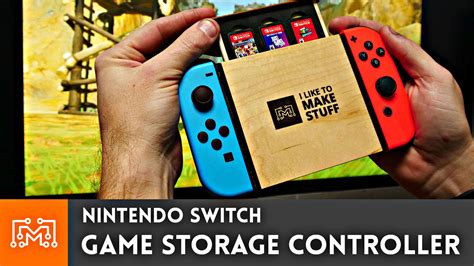
- Physical Cartridges for Large Titles: If you prefer physical media, consider buying the cartridge version of massive games. While updates and DLC will still consume storage, the base game data is on the cart, saving significant space.
- Re-downloading: If your internet is fast, don’t be afraid to archive games you’ve finished. They can always be re-downloaded from the eShop or your user page.
Efficiently Storing a Library of Indie Games
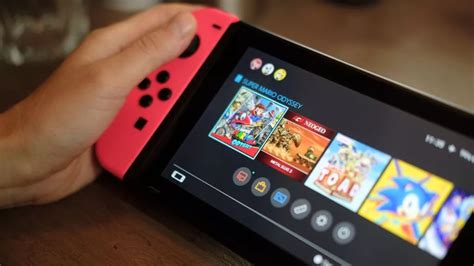
Indie games, while often small individually (ranging from a few hundred megabytes to a few gigabytes), can quickly accumulate into a massive collection. Their smaller footprint means you can fit many more onto your storage, but sheer volume can still overwhelm.
- Curate Your Collection: Be honest about which indies you truly intend to play again. Keep favorites installed.
- Theme-Based Archiving: If you play indies in phases (e.g., retro platformers, story-rich adventures), archive entire categories you’re not currently focusing on.
- Utilize the eShop Wishlist: Don’t download every indie just because it’s on sale. Buy it, then archive it immediately if you don’t plan to play it soon. It’ll be in your re-download list when you’re ready.

A Hybrid Approach: Balancing Both Worlds
The most effective strategy often involves a hybrid approach:
- Dedicated ‘Active’ Space: Reserve a portion of your microSD for your handful of go-to AAA titles and frequently played indies.
- Rotational Archive: Rotate other large games and less-played indies in and out of active storage as your gaming interests change.
- Cloud Saves Are Your Friend: Ensure you have a Nintendo Switch Online subscription to back up your save data. This provides peace of mind when archiving or deleting game software.
Pro Tips for Optimal Switch Storage
- Regularly Check Storage: Periodically go into ‘System Settings’ > ‘Data Management’ to see what’s taking up space.
- Delete Screenshots and Videos: These can accumulate surprisingly fast. Back them up to an external device or social media, then delete from your Switch.
- Don’t Be Afraid to Declutter: If you haven’t touched a game in months and have no immediate plans to, archive it.
Conclusion
Optimizing your Nintendo Switch storage for both colossal digital titles and extensive indie libraries boils down to two main pillars: investing in a high-quality, sufficiently sized microSD card and adopting smart data management habits. By strategically archiving games, prioritizing what you actively play, and occasionally decluttering, you can ensure your Switch always has room for new adventures, big or small. Enjoy the vast world of Switch gaming without constantly battling storage limitations!


