





How to optimize console storage for growing digital game libraries?
The Ever-Expanding Digital Game Library Dilemma
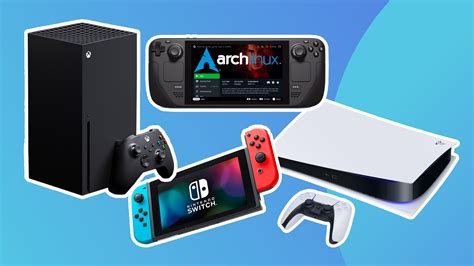
As gamers increasingly embrace digital downloads, the internal storage of our beloved consoles often struggles to keep pace. From massive open-world epics to indie gems, game sizes are continually growing, leading to frustrating “storage full” messages. This guide will walk you through optimizing your console’s storage, ensuring you always have room for the next big adventure, whether you’re a Nintendo Switch loyalist, a PlayStation fanatic, or an Xbox enthusiast.
Understanding Your Console’s Storage Landscape
Each console generation brings more powerful hardware and, often, larger game files. Modern titles can easily consume 50-100GB of space, making even 1TB of internal storage seem insufficient. Understanding your specific console’s storage limitations and capabilities is the first step towards effective management.
Expanding Your Storage: The Hardware Solutions
Nintendo Switch: The Mighty microSD Card
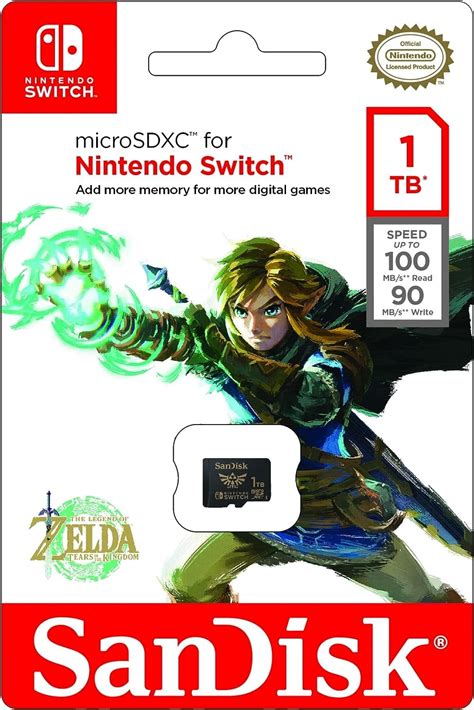
For Nintendo Switch owners, the solution is straightforward and relatively inexpensive: microSD cards. The Switch supports cards up to 2TB, though 256GB, 512GB, or 1TB cards offer the best balance of price and capacity. Always opt for a reputable brand with a high read/write speed (UHS-I, Speed Class 3/V30 is recommended for optimal performance).
PlayStation & Xbox: External HDDs and SSDs
Older generation consoles (PS4, Xbox One) and current-gen consoles (PS5, Xbox Series X/S) for backward-compatible games can utilize external USB hard drives or SSDs. These are a cost-effective way to add significant storage. For PS5 and Xbox Series X/S, you can play PS4 and Xbox One games directly from an external USB drive. However, current-gen games usually need to be on the internal drive or a specific expansion solution.

Current-Gen Expansion: NVMe SSDs for PS5 and Xbox Series X/S
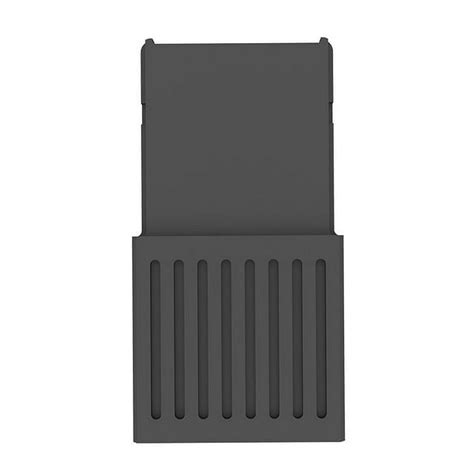
Both PlayStation 5 and Xbox Series X/S offer dedicated expansion slots for blazing-fast NVMe SSDs, essential for playing current-gen titles. PS5 requires a specific type of M.2 NVMe SSD that meets certain speed and size requirements, and users can install it themselves. Xbox Series X/S utilizes proprietary Storage Expansion Cards, which are plug-and-play but generally more expensive per gigabyte. Investing in these ensures you can store and play the latest titles without compromise.
Smart Game Management Strategies
Beyond simply adding more storage, adopting smart management habits can greatly extend the life of your available space.
- Archive vs. Delete: Most consoles allow you to archive games, which removes the main game data but keeps your save files and licenses. This is perfect for games you might want to revisit without losing progress.
- Prioritize & Rotate: Keep your most-played games on the fastest storage (internal SSD or expansion SSD). Move less frequently played games to slower external drives (for backward-compatible titles) or archive them until needed.
- Leverage Cloud Saves: Always ensure your cloud saves are enabled (requires a subscription like Nintendo Switch Online, PS Plus, or Xbox Game Pass Ultimate). This protects your progress even if you uninstall games or your console fails.
- Digital vs. Physical: While this guide focuses on digital, remember physical game discs still take up installation space. However, they don’t count against your download library’s total.

Conclusion: Stay Organized, Keep Gaming
Running out of storage is a common modern gaming headache, but it doesn’t have to halt your fun. By understanding your console’s specific storage options, investing in appropriate expansion hardware, and practicing smart game management, you can keep your digital library thriving and always have space for the next great adventure. Happy gaming!


