





What’s the best Switch console storage for games, big and small?

Navigating Nintendo Switch Storage for Your Game Collection
The Nintendo Switch, with its vast library of indie darlings and sprawling AAA adventures, offers an incredible gaming experience. However, every Switch owner eventually confronts the critical question of storage. Whether you’re a casual player with a handful of games or a dedicated collector of every new release, understanding your storage options is key to a seamless gaming journey. From tiny indie titles that barely register to massive blockbusters demanding tens of gigabytes, managing your console’s space effectively ensures you never have to delete a beloved game just to make room for a new one.
Internal Storage: The Starting Point
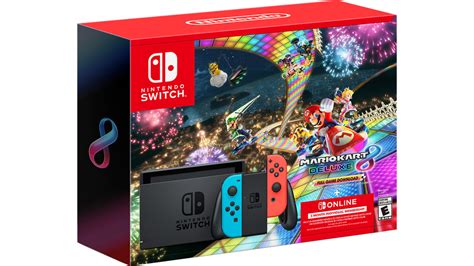
All Nintendo Switch models come with a built-in amount of internal storage, but it varies and can quickly feel insufficient. The original Nintendo Switch and the Switch Lite both offer 32GB of internal NAND memory. The Nintendo Switch OLED model, a welcome upgrade, boasts 64GB. While 32GB or 64GB might sound like a decent amount, a significant portion is reserved for the system’s operating software, leaving substantially less for actual games. For instance, a 32GB model typically has around 25GB-26GB usable, while the 64GB OLED offers approximately 54GB-55GB. Considering many modern Switch games like The Legend of Zelda: Tears of the Kingdom can exceed 18GB, or Pokémon Sword/Shield weighing in at over 12GB, it’s clear that internal storage alone won’t cut it for most players, especially those who prefer digital downloads.
The Indispensable MicroSD Card
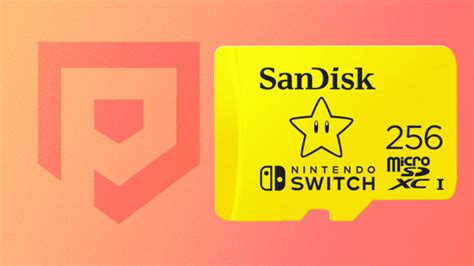
For virtually all Switch users, a microSD card is not just an accessory; it’s a necessity. The Switch supports UHS-I microSD, microSDHC, and microSDXC cards, offering a crucial expansion slot that can handle up to 2TB (though 1TB is currently the largest commercially available). When selecting a card, look for reputable brands known for reliability and good read/write speeds. While the Switch doesn’t fully utilize the extreme speeds of some high-end microSD cards, opting for a card with a U1 or U3 speed class rating (indicating minimum write speeds of 10MB/s and 30MB/s respectively) ensures smooth game loading and performance.
What Capacity Do You Need?
- 64GB-128GB: Suitable for very casual players who mostly buy physical cartridges and download only a few small indie games or DLC.
- 256GB: A good starting point for most players, allowing for a decent library of digital games and DLC without constant management.
- 512GB: The sweet spot for many. This offers ample room for a substantial collection of both big and small digital titles, making storage concerns infrequent.
- 1TB: Ideal for hardcore digital collectors who want to download virtually every game they own without ever thinking about space. While more expensive, it provides ultimate peace of mind.
Physical vs. Digital: How It Impacts Storage
The choice between physical game cartridges and digital downloads significantly affects your storage needs. Physical games generally take up less internal or microSD card space because the core game data is read directly from the cartridge. However, many physical games still require patches, updates, and DLC to be downloaded, which consume storage. Digital games, on the other hand, demand full installation to your internal memory or microSD card. If you predominantly buy digital, a larger microSD card is non-negotiable. If you prefer physical, you can get by with a slightly smaller card, but remember that many updates and downloadable content (DLC) will still eat into your space.
Smart Storage Management Tips
Even with a large microSD card, good storage habits can extend its usefulness:
- Archive Software: Instead of deleting games, archive them. This removes the main game data but keeps your save data intact. You can re-download the game anytime from the eShop. This is particularly useful for games you’ve completed but might want to revisit later.
- Delete & Re-download: For games where you don’t care about save data (e.g., demos), you can simply delete them and re-download if needed.
- Check Storage Usage: Regularly go to System Settings > Data Management to see which games are taking up the most space and decide what to keep or archive.
- Cloud Saves: Remember that Nintendo Switch Online subscribers benefit from cloud saves for most games, meaning your precious progress is backed up even if you delete game data.
Conclusion: The Best Storage Solution
For most Nintendo Switch users, the “best” storage solution is a combination of the console’s internal memory supplemented by a high-capacity microSD card. While the internal storage handles system files and some smaller games, a 512GB microSD card strikes an excellent balance between cost and capacity for the majority of players. Hardcore digital collectors should consider a 1TB card for ultimate freedom. Prioritize reputable brands with U1 or U3 speed ratings, and manage your game library proactively by archiving software you’re not actively playing. By doing so, you’ll ensure your Nintendo Switch is always ready for your next adventure, no matter how big or small the game.


