





Fix Nintendo Switch Joy-Con drift or prevent it?

Understanding the Infamous Joy-Con Drift
Nintendo Switch Joy-Con drift is a frustrating issue where the controller registers input even when the joystick isn’t being touched, leading to unintended character movement or menu navigation. This phenomenon has plagued countless Switch owners since the console’s launch, impacting gameplay and user experience. But is it better to try and fix it once it occurs, or can proactive measures prevent it altogether?
The root cause of Joy-Con drift is often attributed to wear and tear on the internal components of the joystick module. Over time, dust, debris, and friction can degrade the contacts within the joystick, leading to inconsistent signal registration. While Nintendo has made revisions to the Joy-Con design, the issue persists for many, making it a critical concern for Switch enthusiasts.
Methods for Fixing Joy-Con Drift
Software Solutions and Initial Troubleshooting
Before considering hardware fixes, it’s wise to exhaust software-based troubleshooting. Start by recalibrating your Joy-Cons through the Switch’s System Settings (Controllers and Sensors > Calibrate Control Sticks). If calibration doesn’t work, try updating your Joy-Cons’ firmware. Sometimes, a simple cleaning around the base of the joystick with compressed air can dislodge debris and temporarily resolve minor drift.

DIY Hardware Repair
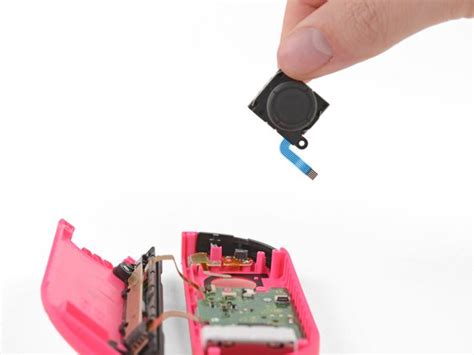
For those comfortable with a screwdriver, replacing the joystick module is a popular DIY solution. Replacement kits are readily available online and typically include the necessary tools and new joystick components. This method is often more cost-effective than professional repair, but it carries the risk of damaging other internal components if not performed carefully. There are numerous guides and video tutorials available to walk you through the process step-by-step.
Professional Repair and Warranty Claims
If DIY repair isn’t for you, or if your Joy-Cons are still under warranty, contacting Nintendo for an official repair is a viable option. Nintendo has an ongoing policy to repair Joy-Con drift issues for free, even if out of warranty, in many regions. Check their official support website for the most current information and repair submission procedures in your country. Alternatively, local electronics repair shops might offer third-party repair services.
Strategies for Preventing Joy-Con Drift
Proper Maintenance and Handling
Prevention is often better than a cure. Adopting good maintenance habits can significantly extend the life of your Joy-Cons. Regularly clean around the base of the joysticks with a soft, dry cloth or compressed air to prevent dust and grime buildup. Avoid excessive force or aggressive joystick movements during gameplay. When not in use, store your Switch and Joy-Cons in a protective case to shield them from environmental factors and accidental impacts.
Utilizing Protective Accessories and Alternative Controllers
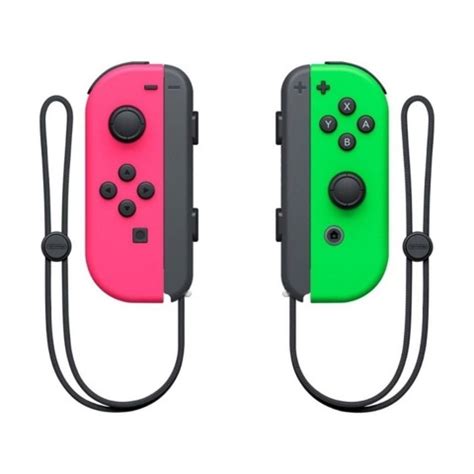
Several accessories can help prevent drift. Joystick caps or thumbstick grips can provide an extra layer of protection against wear and tear. Furthermore, consider investing in alternative controllers for certain games, especially those that require intense joystick input. The Nintendo Switch Pro Controller is renowned for its durability and superior ergonomics, offering a more robust alternative for many gaming sessions. Third-party wired or wireless controllers can also reduce reliance on the Joy-Cons for demanding titles.
Conclusion: A Balanced Approach
Ultimately, the choice between fixing and preventing Joy-Con drift isn’t mutually exclusive. While prevention through careful handling, regular cleaning, and using alternative controllers can greatly reduce the likelihood of drift, it’s also wise to be prepared for when it inevitably occurs. Knowing your options, from calibration and DIY repair to official Nintendo service, empowers you to keep your Nintendo Switch gaming experience smooth and uninterrupted.


