How to choose the best Switch SD card for game downloads?
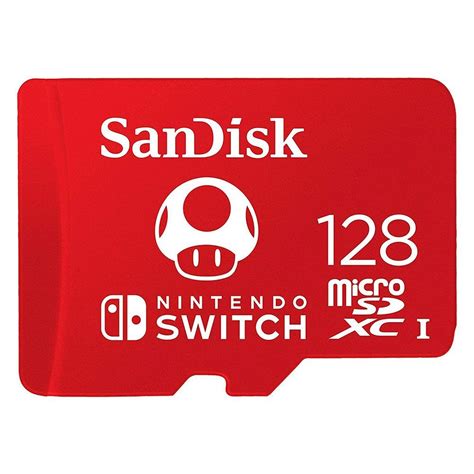
Why Your Switch Needs an SD Card
The Nintendo Switch, while a revolutionary console, comes with a significant limitation for digital game enthusiasts: its internal storage. The original Switch and Switch Lite offer only 32GB of internal storage, while the OLED model boasts 64GB. While this might seem sufficient for a few small titles, modern blockbuster games can easily consume 10-20GB or more each. With frequent system updates and a growing library of digital-only titles from the eShop, an SD card quickly becomes an essential accessory, not just a luxury, for any serious Switch gamer.
An external memory card allows you to massively expand your storage, enabling you to download dozens, if not hundreds, of games without constantly deleting and re-downloading titles. It’s vital for a seamless gaming experience, especially if you prefer digital copies over physical cartridges.
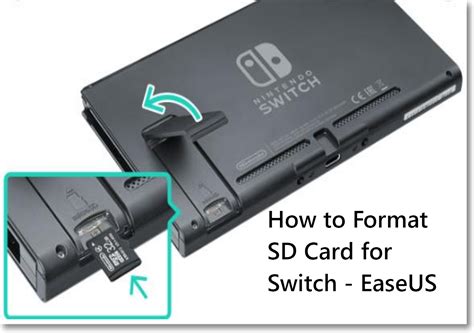
Understanding SD Card Types for Switch
When searching for an SD card, you’ll encounter various types. The Nintendo Switch exclusively uses microSD cards. Specifically, it supports:
- microSD (2GB max): Obsolete for modern Switch use.
- microSDHC (High Capacity, 4GB-32GB): Suitable for some, but quickly fills up.
- microSDXC (eXtended Capacity, 64GB-2TB): This is the recommended type for the Nintendo Switch due to its much larger storage capabilities. All modern high-capacity microSD cards are microSDXC.
Always opt for a microSDXC card to ensure compatibility with higher capacities and to future-proof your storage solution.
Key Factors When Choosing Your SD Card
1. Capacity: How Much Storage Do You Need?
This is often the first consideration. While 64GB or 128GB might seem like an upgrade, many users quickly outgrow them. Consider:
- 128GB: A good starting point for casual gamers with a few digital titles.
- 256GB: A popular sweet spot, offering ample space for a significant game library.
- 512GB: Ideal for avid gamers with many digital purchases, including large AAA titles and indie gems.
- 1TB: For collectors or those who want to download virtually every game they own without worrying about space.
Remember that the operating system and game saves will also take up some space. It’s always better to err on the side of more capacity than less.
2. Speed: The Importance of A1 and A2 Ratings
While capacity gets the most attention, speed is crucial for game performance. A slow SD card can lead to longer loading times and even impact gameplay in some cases. Look for these speed indicators:
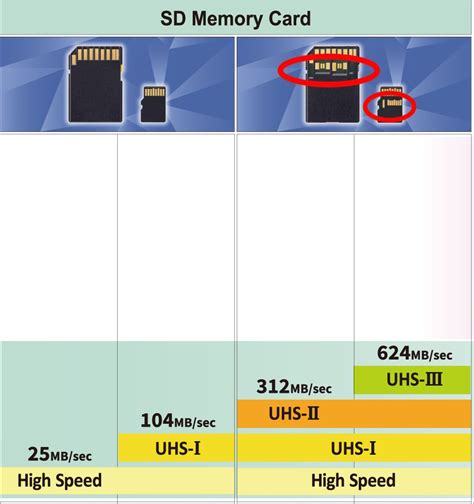
- UHS Speed Class (U1 or U3): U1 offers a minimum write speed of 10MB/s, while U3 guarantees 30MB/s. For games, U3 is preferable.
- Video Speed Class (V10, V30, etc.): Less relevant for gaming, more for high-resolution video recording, but V30 generally indicates faster overall performance.
- Application Performance Class (A1 or A2): This is arguably the most important rating for Switch gamers.
- A1 (App Performance Class 1): Guarantees a minimum random read speed of 1500 IOPS and random write speed of 500 IOPS. This is the minimum recommended for good game performance on Switch.
- A2 (App Performance Class 2): Offers significantly better random performance with a minimum of 4000 IOPS random read and 2000 IOPS random write. While not always a noticeable difference for every Switch game, an A2 card future-proofs your setup and can provide smoother experiences, especially when accessing many small game files.
Aim for an A1 or, even better, an A2 rated microSDXC card with a U3 speed class for the best experience.
3. Reliability and Brand Reputation
Not all SD cards are created equal. Counterfeit cards are unfortunately common and can lead to data loss or fail prematurely. Stick to reputable brands known for quality and reliability, such as:
- SanDisk
- Samsung
- Lexar
- PNY
- Kingston
Purchasing from authorized retailers also helps ensure you’re getting a genuine product.
4. Price vs. Performance
While you don’t want to break the bank, choosing the cheapest option can often lead to regret. Balance your budget with the recommended specifications (microSDXC, A1/A2, U3). Often, a slightly higher investment upfront for a quality card will save you headaches in the long run.
Recommended SD Card Specifications
To summarize, when buying an SD card for your Nintendo Switch, look for these key specifications:
- Type: microSDXC
- Capacity: 128GB, 256GB, or 512GB (or 1TB if budget allows and you need it)
- Speed Class: UHS-I Speed Class 3 (U3)
- Application Performance Class: A1 or A2
- Brand: Reputable (e.g., SanDisk, Samsung, Lexar)
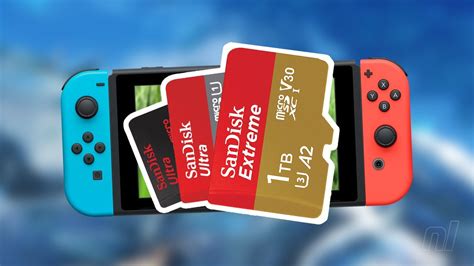
Setting Up Your New Switch SD Card
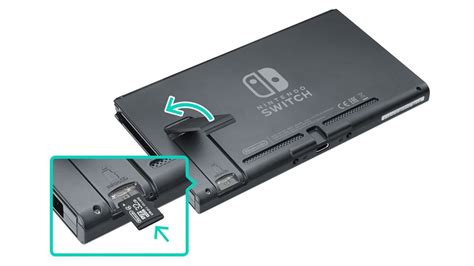
Once you have your SD card, setting it up is straightforward:
- Power Off: Completely power off your Nintendo Switch.
- Insert Card: Open the kickstand on the back of the Switch to reveal the microSD card slot. Insert the card face down until it clicks into place.
- Power On: Turn on your Switch. The system will automatically detect and format the card if needed.
- Transfer Data (Optional): If you’re upgrading from an old SD card, you can transfer data via a PC, but for a new card, your downloads will automatically go to the new storage.
Conclusion
Investing in the right SD card is one of the best upgrades you can make for your Nintendo Switch. By carefully considering capacity, speed, and brand reputation, you can ensure a smooth, expansive, and enjoyable gaming experience without the constant worry of running out of space. Choose wisely, and enjoy your ever-growing library of digital adventures!