



How can game how-tos avoid jargon & truly help total newbs start playing?

For seasoned gamers, certain terms are second nature: “aggro,” “DPS,” “loot crate,” “meta.” But for someone picking up a controller or launching a game for the very first time, these words are alienating barriers. Game how-tos, designed to assist, often inadvertently intimidate new players by assuming prior knowledge. The challenge lies in crafting guides that don’t just explain mechanics, but truly onboard total newbs into a world they might find overwhelming. This article explores strategies to create truly accessible game how-tos, bridging the gap between developers’ language and a beginner’s understanding.
The Jargon Barrier: Why New Players Get Lost
Imagine trying to learn a new skill – say, carpentry – and the instructor immediately starts talking about “rabbet joints,” “chamfers,” and “mortise and tenon” without any context. You’d quickly feel overwhelmed and perhaps even stupid. This is precisely how many new gamers feel when confronted with guides packed with genre-specific lexicon, acronyms, and assumed mechanical knowledge. Jargon creates an exclusive club, making it harder for potential new players to join and enjoy the game.
Often, how-to writers are themselves deeply embedded in gaming culture. They might unconsciously use terms that are clear to them but baffling to a newcomer. This oversight can lead to guides that are technically accurate but practically useless for someone who doesn’t even know how to move their character or navigate the main menu.

Speaking Their Language: Clarity Over Complexity
The first step to avoiding jargon is a conscious effort to identify it and, if absolutely necessary, define it clearly. When a term like “buff” or “debuff” is used, provide a brief, plain-language explanation immediately after its first appearance. For example, “A buff (temporary positive effect) will increase your character’s speed.” Better yet, try to rephrase the concept without the jargon altogether if possible.
Focus on simple, direct sentences. Avoid complex sentence structures or overly technical descriptions. Break down complex actions into their most atomic components. Instead of “Execute a perfect parry to open them up for a critical hit,” try “Block just as the enemy attacks (this is called a ‘parry’). If you time it right, the enemy will be stunned, allowing you to hit them harder.”

From Installation to First Steps: The True Beginning
Many how-tos assume the player has already successfully installed the game, navigated the initial menus, and perhaps even completed a basic tutorial. For a total newb, even these initial steps can be daunting. A truly comprehensive guide should start at ground zero:
- Installation & Setup: How to download, install, and launch the game. Address common setup issues (e.g., graphics settings).
- Basic Controls: Explicitly list and describe primary movement, interaction, and camera controls. Use a diagram of a controller or keyboard layout.
- User Interface (UI) Navigation: Explain what each part of the HUD (Heads-Up Display) means. What are health bars, mini-maps, or inventory icons?
- First Mission/Objective: Guide them through the very first actionable task, no matter how simple it seems, providing reassurance and clear directions.
Think of it as onboarding someone who has never touched a computer or console before. Every step, no matter how trivial it seems to an experienced player, is a potential hurdle for a new one.
The Power of Visuals and Practical Examples
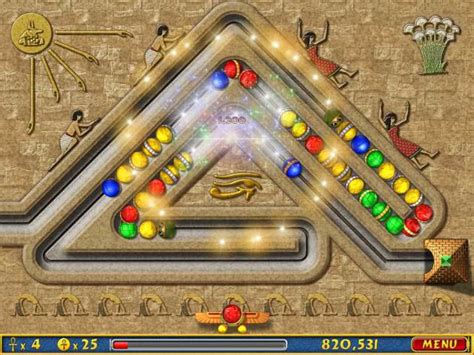
Text-only guides, no matter how well-written, can fall short for visual learners or when explaining spatial concepts. Integrating visuals is paramount for new players:
- Screenshots: Show exactly what the screen should look like at each step. Highlight important elements with arrows or circles.
- Short Video Clips/GIFs: Demonstrate dynamic actions like dodging, executing a combo, or navigating a tricky platforming section.
- Diagrams: Use simple diagrams to explain complex relationships (e.g., a rock-paper-scissors mechanic, an upgrade path).
- Step-by-Step Lists: Break down every action into numbered steps, making it easy to follow along.
Practical examples resonate more than abstract advice. Instead of just saying “use your special ability,” show a screenshot of the ability icon and explain a specific scenario where using it would be beneficial.
Beyond the “How”: Explaining the “Why” and Fostering Confidence
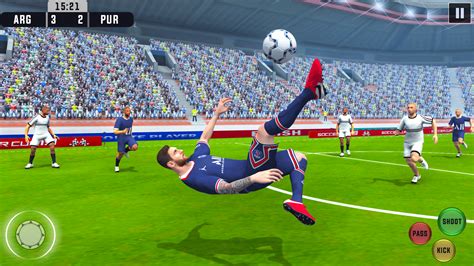
Simply telling a new player to do something is less effective than explaining why they should do it. Understanding the purpose behind an action makes it more memorable and empowers them to make informed decisions later. For example, don’t just say “press X to jump”; explain “pressing X makes your character jump, which is useful for crossing gaps or reaching higher ledges.”
Moreover, game how-tos should foster confidence and a sense of accomplishment. Acknowledge that learning a new game can be challenging and encourage experimentation. Offer troubleshooting tips for common beginner mistakes. A positive, encouraging tone can make a significant difference in a new player’s persistence and enjoyment.
Conclusion: Building Bridges, Not Walls
Creating truly helpful game how-tos for total newbs requires a fundamental shift in perspective. It means stepping outside the comfort zone of established gaming vernacular and embracing the mindset of someone encountering everything for the first time. By focusing on crystal-clear, jargon-free language, starting from the absolute basics, utilizing abundant visuals, and explaining the ‘why’ behind the ‘how,’ we can build guides that don’t just inform but genuinely welcome and empower the next generation of gamers. The goal isn’t just to teach them to play, but to help them love playing.