





How to ensure online gaming safety for younger players?

Navigating the Digital Playground: Keeping Younger Gamers Safe Online
Online gaming has become an integral part of childhood, offering entertainment, social interaction, and cognitive challenges. However, with its increasing popularity comes the responsibility for parents to ensure a safe and positive experience for their younger players. The digital world can present unique risks, from exposure to inappropriate content and cyberbullying to privacy concerns and excessive screen time. This guide provides actionable steps for parents to create a secure and enriching online gaming environment.
Foster Open Communication and Trust
The first and most crucial step is to establish an open line of communication with your child. Talk to them regularly about the games they play, who they play with, and what they enjoy about online gaming. Encourage them to share any uncomfortable experiences or questions they might have. Let them know you’re there to help, not to punish, and that their safety is your top priority. Understanding their online world allows you to address potential issues proactively and build trust.
Implement Robust Parental Controls and Privacy Settings
Most gaming platforms, consoles, and individual games offer a range of parental control features. These tools are invaluable for managing your child’s online experience. Familiarize yourself with the settings on their devices (e.g., PlayStation, Xbox, Nintendo Switch, PC, mobile devices) and configure them appropriately.
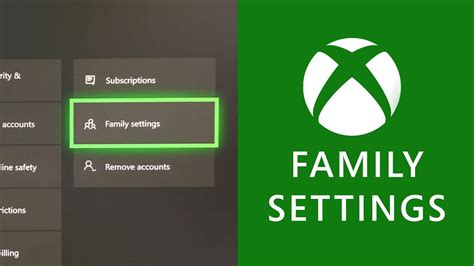
Key controls often include:
- Time limits: Restrict play duration and set specific hours for gaming.
- Content filters: Prevent access to age-inappropriate games or features.
- Communication restrictions: Limit who your child can chat with, or disable in-game chat entirely for younger players.
- Spending limits: Control or block in-game purchases.
Additionally, review and adjust privacy settings within games and on social gaming platforms. Ensure that personal information like real names, addresses, or photos is not publicly visible.
Choose Age-Appropriate Games and Content
Pay close attention to game ratings from organizations like the ESRB (Entertainment Software Rating Board) or PEGI (Pan European Game Information). These ratings provide valuable insights into a game’s content, including violence, language, and interactive elements. Research games before your child plays them by reading reviews, watching gameplay videos, or even playing them yourself. Opt for games that align with your child’s developmental stage and your family’s values.
Monitor Online Interactions and Friend Lists
Online games often involve interacting with other players, some of whom may be strangers. Teach your child about ‘stranger danger’ in the online world, emphasizing that not everyone is who they claim to be. Encourage them to only play with friends they know in real life. Regularly review their friend lists in games and discuss who they are playing with. Educate them about cyberbullying and empower them to report any inappropriate or harmful behavior immediately, both to you and within the game’s reporting mechanisms.

Establish Healthy Screen Time Limits and Breaks
While gaming can be fun, it’s essential to balance screen time with other activities crucial for a child’s development, such as schoolwork, outdoor play, family time, and sleep. Work with your child to establish clear and consistent rules for gaming duration and frequency. Use timers and enforce regular breaks to prevent eye strain and encourage physical movement. Model healthy screen habits yourself.

Educate About Personal Information Protection
Teach your child the golden rule of online safety: never share personal information with anyone they don’t know and trust in the real world. This includes their full name, address, school, phone number, email address, and even photos or videos. Explain why this information needs to be kept private and the potential dangers of sharing it. Remind them that anything posted online can be permanent and accessible to many people.

Stay Involved and Informed
The online gaming landscape is constantly evolving. Staying informed about new games, platforms, and online trends will help you better understand the risks and opportunities your child faces. Consider playing games with them to gain first-hand experience and to share in their interests. Your active involvement and ongoing education are the best tools for ensuring your younger players enjoy a safe, fun, and balanced online gaming experience.

By combining open communication, smart use of technology, and a proactive approach, parents can confidently guide their younger children through the exciting world of online gaming while safeguarding their well-being.


