Best Switch MicroSD for huge game libraries: AAA blockbusters & indie gems?

Why Your Nintendo Switch Needs a Spacious MicroSD Card
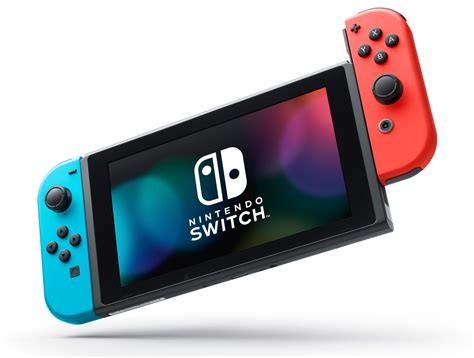
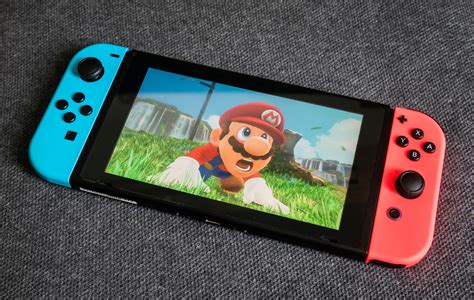
The Nintendo Switch, with its incredible portability and diverse game library, quickly becomes a digital hoarding ground for many gamers. While the console offers a modest 32GB (or 64GB for the OLED model) of internal storage, this space evaporates alarmingly fast, especially when you start downloading massive AAA titles like The Legend of Zelda: Tears of the Kingdom or Pokemon Scarlet/Violet. Even smaller, charming indie gems can accumulate, demanding more room than the built-in memory can provide. An external MicroSD card isn’t just an upgrade; it’s an essential expansion for anyone serious about building a substantial digital game library.
Key Factors When Choosing Your Switch MicroSD
Not all MicroSD cards are created equal, and selecting the right one for your Switch involves considering a few critical specifications:
- Capacity: This is arguably the most important factor. For a ‘huge game library,’ you’ll want to look beyond the basic 64GB or 128GB cards.
- Speed: Look for cards with a high read speed (UHS-I, Speed Class 10, or U1/U3). While the Switch doesn’t fully leverage the fastest U3 speeds for loading games much faster than U1, a higher class indicates better overall performance and reliability. The Switch officially supports UHS-I cards up to 104 MB/s.
- Brand Reputation: Stick to trusted brands known for reliability and performance. Cheap, unbranded cards might offer tempting prices but often come with a risk of data corruption or significantly slower speeds.
Recommended Capacities for Avid Gamers
- 256GB: The Solid Starting Point: For many, a 256GB card offers a good balance of cost and capacity, holding dozens of games. It’s a significant upgrade from internal storage without breaking the bank.
- 512GB: The Sweet Spot: If you’re frequently buying new digital titles, especially AAA games that can range from 10GB to over 20GB, 512GB is often the ‘sweet spot.’ It provides ample room for a substantial collection of big games and countless indies.
- 1TB: The Ultimate Solution: For the ultimate digital collector, or those who simply never want to worry about storage again, a 1TB MicroSD card is the top-tier choice. It allows you to download virtually every game you desire without needing to archive titles. While pricier, the convenience is unmatched.
Top MicroSD Card Recommendations for Nintendo Switch
When it comes to reliability and performance, a few brands consistently stand out. Look for their ‘for Nintendo Switch’ licensed cards, or their standard high-speed UHS-I cards.
SanDisk MicroSDXC for Nintendo Switch
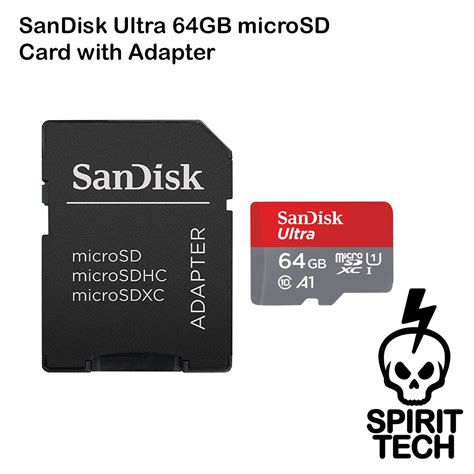
SanDisk has an official licensing agreement with Nintendo, offering MicroSD cards branded specifically for the Switch. These cards are guaranteed to be compatible and meet the console’s performance requirements. They come in various capacities, including 128GB, 256GB, 512GB, and 1TB, often adorned with iconic Mario or Zelda imagery. They are UHS-I U3 rated, ensuring excellent performance.
SanDisk Ultra MicroSDXC UHS-I
If you prefer to save a few dollars while still getting top-tier performance, SanDisk’s standard Ultra line (gray and red) is an excellent choice. These are widely available, reliable, and come in all the popular capacities up to 1TB. They offer similar read/write speeds that are perfectly suitable for the Switch.
Samsung EVO Select / EVO Plus MicroSDXC UHS-I
Samsung’s EVO Select (yellow and white) and EVO Plus (red and white) lines are also highly recommended. They consistently deliver strong performance and are known for their durability. Like SanDisk, they offer excellent value and reliability across various capacities, making them a fantastic alternative for Switch owners.
Installing Your New MicroSD Card
Inserting your MicroSD card into the Nintendo Switch is straightforward:
- Turn off your Nintendo Switch completely (hold the power button, then select Power Options > Turn Off).
- Flip open the kickstand on the back of the console to reveal the MicroSD card slot.
- Insert the MicroSD card with the label facing down until it clicks into place.
- Close the kickstand and power on your Switch.
- The Switch will format the card automatically if it’s new. You can then navigate to System Settings > Data Management to confirm the card is recognized and to move existing data if desired.
Maximizing Your Storage and Game Enjoyment
Once your new, high-capacity MicroSD card is installed, you can revel in the freedom of downloading games without constant concern for storage limits. Remember that digital games will automatically save to the MicroSD card if one is present. You can also manually move data between internal storage and the MicroSD card through the Data Management settings, which is handy for optimizing loading times for your most-played titles.
Investing in a high-quality, large-capacity MicroSD card is one of the best upgrades you can make for your Nintendo Switch, transforming it into an even more capable and convenient gaming machine for both expansive AAA experiences and charming indie adventures.