How to prevent accidental in-game purchases and protect your family’s game budget?

Navigating the World of In-Game Purchases
In today’s digital age, video games are an integral part of family entertainment. However, with the fun comes the potential for unexpected expenses, particularly from accidental or unauthorized in-game purchases. These microtransactions, often designed to enhance gameplay or offer cosmetic items, can quickly add up, turning a family’s game budget into a source of stress. Understanding how to manage and prevent these purchases is crucial for maintaining both financial peace and a healthy gaming environment for your children.

Implementing Robust Parental Controls and Purchase Restrictions
The first line of defense against accidental in-game spending is to utilize the parental control and purchase restriction features available on various gaming platforms. Each major system offers tools designed to help parents manage access and spending.
Mobile Devices (iOS & Android)
Mobile games are notorious for easy in-app purchases. Both Apple and Android offer robust settings:
- Require Password for Purchases: Ensure that every purchase, free or paid, requires a password or biometric authentication (Face ID/Touch ID) for authorization.
- Disable In-App Purchases Entirely: For younger children, or if you prefer a complete block, you can disable in-app purchases within the device’s settings.
- Screen Time/Digital Wellbeing: Utilize features to manage content restrictions and purchase approvals.
Gaming Consoles (PlayStation, Xbox, Nintendo Switch)
Consoles provide comprehensive family account management options:
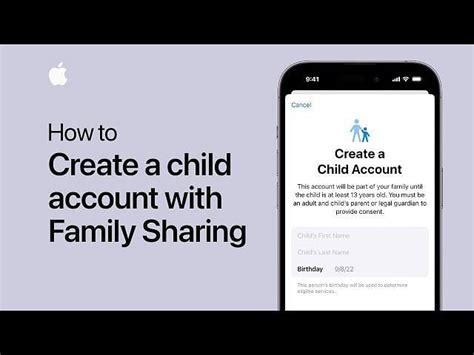
- Set Up Family Accounts: Create separate child accounts linked to a parent account. This allows you to set spending limits, content restrictions, and require parental approval for all purchases.
- PIN Protection: Implement a PIN for all purchases made on the console’s store.
- Remove Payment Information: Consider removing credit card details from the console entirely and opting for gift cards when making intentional purchases.
PC Gaming Platforms (Steam, Epic Games Store, etc.)
PC platforms also offer layers of security:
- Wallet Management: Manage the balance in associated digital wallets and set up purchase confirmations.
- Two-Factor Authentication: Enable 2FA for account security, making unauthorized access and purchases much harder.
- Restrict Access: Ensure children do not have direct access to your primary gaming account with stored payment details.
Smart Budgeting and Communication Strategies
Beyond technical safeguards, smart financial habits and open family communication are vital.
Use Gift Cards for Controlled Spending
Instead of linking a credit card directly, purchase physical or digital gift cards for your preferred gaming platform. This allows children to buy what they want within a pre-determined budget, teaching them about financial limits and choices.
Set Clear Rules and Expectations
Talk to your children about in-game purchases. Explain why they exist, how they can add up, and the importance of asking for permission before making any spending decisions. Establish a clear “no unauthorized purchases” rule with defined consequences.

Regularly Monitor Account Activity
Periodically check purchase histories on your gaming accounts. Many platforms send email notifications for every transaction, so keep an eye on your inbox for unexpected charges.
Educating Your Family About Game Monetization
Part of protecting your budget involves understanding the psychology behind in-game purchases.
- Identify “Pay-to-Win” vs. Cosmetic Items: Help your children understand the difference between purchases that offer a competitive advantage and those that are purely aesthetic.
- Loot Boxes and Gacha Mechanics: Discuss the gambling-like nature of loot boxes and similar mechanics, which can encourage excessive spending for uncertain rewards.
- Value of Money: Reinforce the concept that virtual items have a real-world cost and that money earned through chores or allowances has value.

Conclusion: Proactive Measures for Peace of Mind
Preventing accidental in-game purchases requires a multi-faceted approach: leveraging platform-specific parental controls, adopting smart budgeting strategies like gift cards, and fostering open communication with your children about spending habits. By taking these proactive steps, you can ensure that gaming remains a fun, positive experience for your family without the stress of unexpected financial surprises. Protecting your family’s game budget is not just about saving money; it’s about teaching responsible digital citizenship and financial literacy.