





Best PS5 storage upgrade for a huge digital game library?

Why Your PS5 Needs More Storage for Digital Games
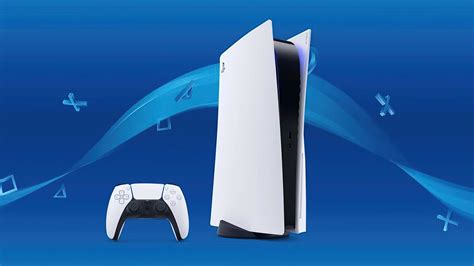
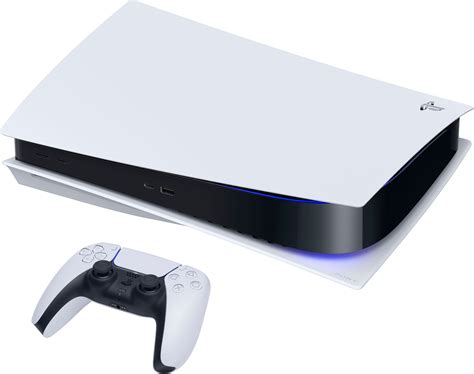
The PlayStation 5 comes with a fast 825GB internal SSD, but only about 667GB of that is actually usable for games and apps. In an era where AAA titles frequently exceed 100GB, this space fills up alarmingly fast, especially for gamers who prefer to download their entire library digitally. Deleting and re-downloading games becomes a frustrating cycle, interrupting your gaming flow. Fortunately, Sony designed the PS5 with an expandable storage slot, allowing you to significantly boost your console’s capacity and keep all your favorite titles ready to play.
Understanding PS5’s M.2 SSD Requirements
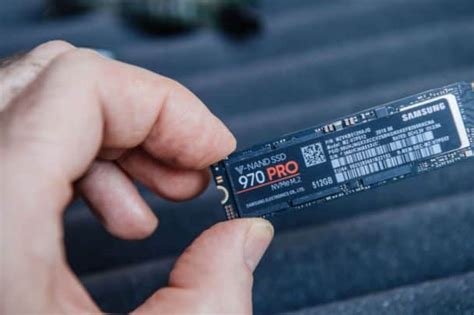
Unlike previous generations, the PS5 uses a high-speed M.2 NVMe SSD for expandable storage, which can run PS5 games directly. This isn’t just any M.2 drive, however. Sony has specific requirements to ensure performance parity with the internal SSD. You’ll need a PCIe Gen4 x4 NVMe M.2 SSD, and it must meet certain speed criteria.
Key Specifications to Look For:
- Interface: PCIe Gen4 x4 NVMe M.2 SSD
- Capacity: 250GB to 8TB (1TB or 2TB recommended for most users)
- Sequential Read Speed: 5,500 MB/s or faster is required by Sony. Opt for drives that exceed this for optimal performance.
- Module Width: 22mm (e.g., 2230, 2242, 2260, 2280, 22110)
- Heatsink: Absolutely essential. The drive must have an effective heatsink to prevent thermal throttling, which can degrade performance. Many drives come with one pre-installed, or you can buy a separate compatible heatsink.

Top Contenders for PS5 Storage Upgrades
Several manufacturers offer excellent M.2 NVMe SSDs that are perfect for the PS5. When choosing, prioritize reputable brands known for reliability and performance. Look for drives specifically marketed as “PS5 compatible” or check their specifications against Sony’s recommendations.
Some popular and highly-rated options often include:
- Samsung 980 Pro (with heatsink): A long-standing favorite, known for its excellent speeds and reliability.
- WD_BLACK SN850 / SN850X (with heatsink): Western Digital’s gaming-focused drives are top-tier performers.
- Crucial P5 Plus (with heatsink): Offers great value and solid performance.
- Seagate FireCuda 530 (with heatsink): One of the fastest drives available, often exceeding Sony’s minimum requirements significantly.
Always ensure the drive you choose either comes with a pre-installed heatsink or that you purchase a separate, slim heatsink that fits within the PS5’s designated M.2 slot dimensions.
Installation: A Straightforward Process
Installing an M.2 SSD in your PS5 is a surprisingly simple process that most users can complete in under 15 minutes. Sony provides detailed official instructions, which involve removing the PS5’s side cover, unscrewing a plate, inserting the SSD, and securing it. The PS5 will then format the new drive upon boot-up. No special tools are typically required beyond a Philips head screwdriver.

Maximizing Your Digital Library with Expanded Storage
Once your new M.2 SSD is installed, the benefits are immediate. You can download dozens more PS5 games, keep them all updated, and switch between them without the hassle of uninstalling. The fast speeds of these drives mean that games loaded from the expansion slot will perform just as well as those on the internal drive, often with identical loading times. This upgrade is arguably the most impactful enhancement you can make to your PS5 experience for a large digital game collection.
Investing in a high-quality M.2 NVMe SSD with a heatsink is the definitive solution for any PS5 owner looking to future-proof their console and fully embrace the convenience of a vast digital game library. Say goodbye to storage anxiety and hello to endless gaming possibilities!


