





Optimize Nintendo Switch battery life: top tips for longer play sessions?
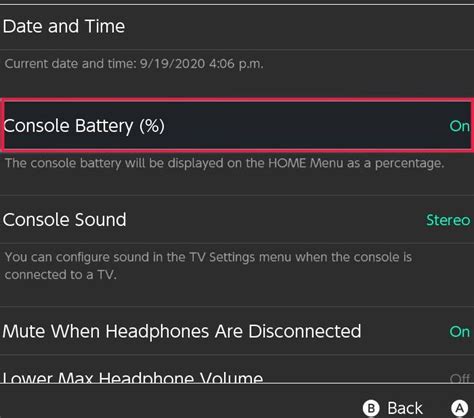
Maximize Your Nintendo Switch Playtime
The Nintendo Switch offers incredible portable gaming freedom, but a common challenge for many players is managing battery life. Whether you’re on a long commute, a flight, or just relaxing away from a power outlet, extending your console’s charge can significantly enhance your gaming experience. Fortunately, there are several simple yet effective strategies you can employ to squeeze more precious minutes, or even hours, out of your Nintendo Switch battery.
Essential Settings Adjustments for Battery Saving
1. Dim the Screen Brightness
This is arguably the most impactful change you can make. The Switch’s bright, vibrant screen is a major power consumer. Access the Quick Settings menu (hold down the HOME button) and lower the brightness to a comfortable level. You’ll be surprised how much battery you save without significantly impacting your visual experience, especially in darker environments.
2. Disable Unnecessary Wireless Features
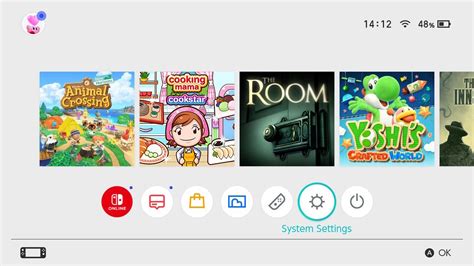
Wi-Fi and Bluetooth constantly search for connections, even when not actively in use for online play or accessories. If you’re playing offline or using wired controllers, turn off Wi-Fi and Bluetooth from the System Settings. For maximum wireless power saving, consider enabling Airplane Mode.
3. Adjust Auto-Sleep Settings
Your Switch goes to sleep automatically after a period of inactivity, but you can shorten this duration. In System Settings > Sleep Mode, set the “Auto-Sleep (Playing Software)” and “Auto-Sleep (On HOME Menu)” options to a shorter time, like 5 or 10 minutes. This prevents your console from staying awake and draining power if you accidentally leave it on.
4. Lower Vibration Settings
While HD Rumble adds immersion, the vibration motors consume a noticeable amount of power. In System Settings > Controllers and Sensors, you can toggle “Controller Vibration” off entirely or reduce its intensity for individual games if they offer the option. This is a small adjustment that can add up over long play sessions.
5. Optimize Game-Specific Settings
Some games offer in-game graphic options or performance modes. While less common on Switch than on other platforms, if a game allows you to lower resolution, reduce visual effects, or choose a “performance” over “quality” mode, these can sometimes result in lower power consumption. Always check individual game settings for such possibilities.
Advanced Power-Saving Techniques
6. Utilize Airplane Mode
As mentioned, Airplane Mode is the ultimate wireless power-saver. It disables Wi-Fi, Bluetooth, and NFC with a single toggle. If you’re strictly playing single-player offline games, this mode is your best friend for maximizing battery life.
7. Keep Your Software Updated
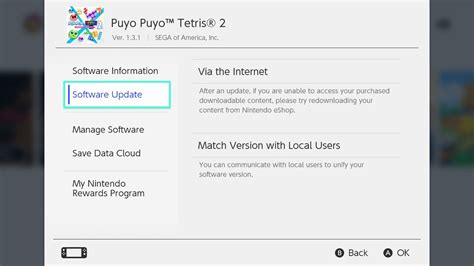
Nintendo frequently releases system updates that can include performance improvements and power efficiency optimizations. Ensure your Switch is always running the latest firmware by checking System Settings > System > System Update. Game updates can also sometimes include optimizations.
Beyond Settings: Complementary Strategies
8. Manage Your Games and Background Processes
While the Switch is generally efficient at suspending games, ensure you fully close software you’re no longer playing. Highlight the game icon on the HOME menu, press X, and select “Close” to ensure it’s not running in the background.
9. Consider a Quality Power Bank
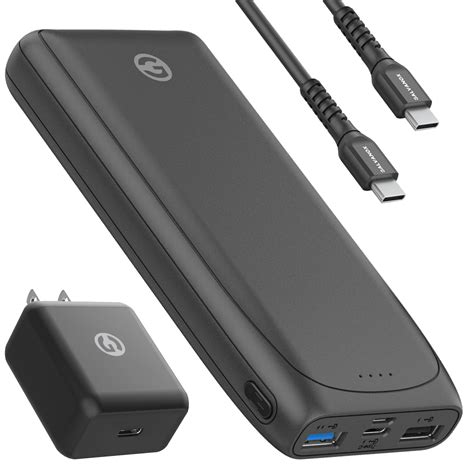
For truly extended play sessions, a high-capacity portable power bank designed for USB-C PD (Power Delivery) is an invaluable accessory. Ensure it supports the Switch’s charging requirements for effective charging while playing. This isn’t a battery optimization tip for the Switch itself, but a practical solution for prolonged portable gaming.
Conclusion: Game On, Longer
By implementing these tips, you can significantly extend the battery life of your Nintendo Switch, ensuring you spend less time worrying about power outlets and more time immersed in your favorite games. Experiment with different settings to find the perfect balance between performance and longevity for your unique gaming habits. Happy gaming!



