





Practical strategies for setting healthy game screen time limits?

Understanding the Challenge of Game Screen Time
In today’s digital age, video games offer both entertainment and educational opportunities, but managing a child’s screen time, especially gaming, is a growing concern for many parents. Striking a healthy balance is crucial for a child’s development, academic performance, and overall well-being. This article provides practical strategies to help parents set and maintain effective game screen time limits.

Why Setting Limits Matters
Excessive game screen time can lead to a range of issues, including sleep disturbances, reduced physical activity, social isolation, and potential academic decline. Conversely, well-managed screen time can foster creativity, problem-solving skills, and social connections. The goal isn’t to eliminate gaming but to integrate it healthily into a child’s routine.
Strategy 1: Involve Your Child in the Conversation
Instead of imposing rules, engage your child in a discussion about screen time. Explain the reasons behind setting limits (e.g., for better sleep, more outdoor play, homework completion). When children feel heard and understand the rationale, they are more likely to cooperate. Work together to establish boundaries that make sense for both their age and your family’s values.

Strategy 2: Establish Clear Rules and Routines
- Define “Screen Time”: Clarify what counts as screen time (e.g., console games, mobile games, computer games).
- Set Daily/Weekly Limits: Decide on specific time allowances. For younger children, 1-2 hours might be appropriate, while older children might have slightly more, depending on their responsibilities and other activities.
- Time-Outs and No-Go Zones: Designate screen-free times (e.g., during meals, an hour before bedtime) and screen-free areas (e.g., bedrooms, especially at night).
- Consequences and Rewards: Clearly outline what happens if rules are broken and how positive adherence is acknowledged.
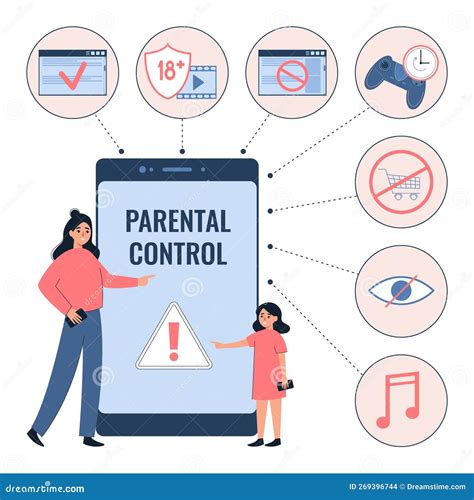
Strategy 3: Utilize Parental Control Tools
Many gaming consoles, operating systems, and apps offer built-in parental controls that can help enforce limits automatically. These tools allow you to:
- Set daily time limits.
- Schedule screen-free hours.
- Filter inappropriate content.
- Monitor usage.
Using these tools can reduce daily arguments and create consistent boundaries, but they should always be complemented by open communication.
Strategy 4: Encourage Alternative Activities
Help your child discover and engage in a variety of non-screen activities. This could include:
- Outdoor play: Sports, bike riding, park visits.
- Creative pursuits: Drawing, painting, playing musical instruments.
- Reading: Encourage books, comics, or audiobooks.
- Family time: Board games, cooking together, conversations.
Providing compelling alternatives makes it easier for children to step away from screens without feeling deprived.

Strategy 5: Lead by Example and Be Flexible
Children often mimic their parents’ behavior. Model healthy screen habits yourself by putting away your phone during family time and engaging in non-screen activities. Remember that life happens; there might be days when limits are relaxed for special occasions or school projects. The key is consistency over perfection and being able to adapt as your child grows and their needs change.
Conclusion
Setting healthy game screen time limits is an ongoing process that requires patience, communication, and adaptability. By involving your child, establishing clear rules, utilizing available tools, promoting alternative activities, and modeling good behavior, you can guide them towards a balanced relationship with technology that supports their overall health and development. The goal is to nurture responsible digital citizens who understand the value of both virtual and real-world experiences.



