How to reduce mobile game battery drain for longer playtime?

The Quest for Uninterrupted Mobile Gaming
Mobile gaming has become a cornerstone of entertainment, offering rich experiences on the go. However, the joy of a high score or a critical mission can quickly be cut short by a rapidly depleting battery. Modern games, with their stunning graphics and complex mechanics, are often power-hungry. Understanding how to manage your device’s power consumption is key to enjoying longer, uninterrupted playtime.
This article will guide you through practical steps and settings adjustments to significantly reduce mobile game battery drain, ensuring your gaming adventures last as long as you do.
Optimize In-Game Settings
Many mobile games offer a variety of graphical and performance settings that can heavily impact battery usage. Tailoring these to your device and preferences is a crucial first step.
- Lower Graphics Quality: High-resolution textures, complex shaders, and detailed environmental effects consume substantial power. Most games allow you to reduce these settings (e.g., from ‘Ultra’ to ‘Medium’ or ‘Low’) without severely compromising the gameplay experience.
- Reduce Frame Rate (FPS): While a high frame rate offers smoother visuals, it also works your device’s processor and GPU harder. Capping your FPS to 30 or 45 instead of 60 can save a significant amount of battery.
- Disable Unnecessary Effects: Turn off features like bloom, motion blur, anti-aliasing, and intricate shadows if they are not essential for your enjoyment.
- Mute or Lower In-Game Sound: Using headphones is generally more power-efficient than relying on your phone’s external speakers. Even then, lowering the volume or muting background music can subtly reduce CPU load.

Tweak Your Device Settings
Beyond the game itself, your smartphone’s general settings play a vital role in overall battery consumption during gaming.
- Screen Brightness: The screen is often the biggest battery hog. Reduce your screen brightness to the lowest comfortable level, or use adaptive brightness in a well-lit environment. Avoid playing in direct sunlight, as this forces the screen to its maximum brightness.
- Enable Power Saving Mode: Most smartphones come with a built-in power-saving mode. While it might slightly reduce performance, the trade-off for extended playtime is often worth it. These modes typically limit background app activity, CPU speed, and visual effects.
- Disable Wi-Fi, Bluetooth, and GPS (If Not Needed): If a game doesn’t require an internet connection, GPS, or Bluetooth peripherals, turn them off. These radios constantly search for networks and devices, draining power.
- Close Background Apps: Before launching a game, close all unnecessary applications running in the background. These apps consume RAM and CPU cycles, leaving less for your game and draining battery faster.
- Manage Notifications: Constant notifications can wake your screen and pull your focus, both of which use battery. Consider enabling ‘Do Not Disturb’ mode while gaming.

Consider External Factors and Habits
Your environment and charging practices also influence battery longevity during gaming.
- Avoid Extreme Temperatures: Playing in very hot or very cold environments can negatively impact battery performance and overall health. Heat, especially, accelerates battery degradation.
- Maintain Good Connectivity: A weak Wi-Fi or cellular signal forces your phone to work harder to maintain a connection, leading to increased battery drain. Play in areas with strong signals whenever possible.
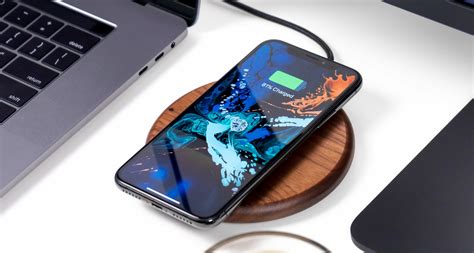
- Charge Smart: Avoid fully discharging your battery to 0% or charging it to 100% every time. Modern lithium-ion batteries prefer to stay between 20% and 80%. Gaming while charging can generate extra heat, so be mindful of your device’s temperature.
Keep Your Software Updated
Regularly updating your phone’s operating system and the games themselves can often bring performance improvements and bug fixes that contribute to better power efficiency.
- OS Updates: Manufacturers often include battery optimizations and efficiency improvements in their system updates.
- Game Updates: Developers frequently patch their games to run more smoothly and efficiently, which can reduce battery consumption.
Conclusion
By thoughtfully applying these strategies, you can significantly extend your mobile gaming sessions and get the most out of your smartphone’s battery. It’s a balance between visual fidelity, performance, and endurance. Experiment with different settings to find the sweet spot that offers you the best gaming experience without constantly reaching for your charger. Happy gaming!