





Preventing Nintendo Switch Joy-Con drift: best maintenance tips?

The dreaded Nintendo Switch Joy-Con drift is a prevalent issue that can significantly hamper your gaming experience. Characterized by phantom inputs where your character moves or camera shifts without you touching the joystick, it’s often caused by wear and tear or debris accumulation. While a permanent, foolproof fix remains elusive for many, proactive maintenance can dramatically reduce its likelihood and extend the life of your controllers. Here are the best tips to keep your Joy-Cons responsive and drift-free.
Understanding the Enemy: What Causes Drift?
Joy-Con drift primarily stems from wear on the internal contact pads beneath the joystick or the accumulation of dust, dirt, and other contaminants. Over time, the plastic housing around the joystick can degrade, allowing debris to enter and interfere with the electrical signals, leading to erroneous inputs. Understanding this helps in targeting effective preventative measures.

Regular Cleaning: Your First Line of Defense
One of the most effective preventative measures is consistent cleaning. Dust, skin cells, and microscopic debris can easily work their way under the joystick. Regularly clean the area around the base of the joystick using a few simple tools:
- Compressed Air: Use short bursts of compressed air around the base of the joystick, gently lifting the rubber skirt (if possible) to dislodge any trapped particles. Ensure the can is held upright to prevent propellant discharge.
- Isopropyl Alcohol (High Purity): For more stubborn grime, apply a tiny amount of 90%+ isopropyl alcohol to a cotton swab or microfiber cloth. Gently wipe around the base of the stick. The alcohol evaporates quickly, leaving no residue, but always ensure the console is off and Joy-Cons are detached.

Handle with Care: Avoiding Excessive Force
While Joy-Cons are designed for active gameplay, brute force is their enemy. Pushing, pulling, or twisting the joysticks with excessive force can accelerate the wear on the internal components. Develop a habit of gentle, deliberate movements. When not in use, avoid leaving the Switch or Joy-Cons in situations where the joysticks are under constant pressure, such as crammed in a bag or beneath heavy objects.
Invest in Protective Accessories
A small investment in protective gear can go a long way in preventing drift:
- Thumb Grips: These silicone or rubber caps fit over the joysticks, protecting the original plastic from direct wear and tear. They can also offer better grip and comfort.
- Protective Cases: When transporting your Switch, a hard-shell carrying case ensures the Joy-Cons aren’t accidentally pressed or snagged, which can lead to stress on the joysticks.
- Dust Plugs: While less common for joysticks, ensuring other ports are covered can minimize overall dust ingress into the system.

Proper Storage Habits
How you store your Switch and Joy-Cons matters. Avoid leaving them in dusty environments or places with extreme temperature fluctuations. When not attached to the console, store Joy-Cons in a clean, dry place, ideally in a drawer or a dedicated controller stand, away from pets and potential spills.
Regular Calibration and Firmware Updates
Sometimes, what feels like drift might just be a minor calibration issue. Nintendo provides a built-in calibration tool:
- From the HOME Menu, select System Settings.
- Scroll down and select Controllers and Sensors.
- Select Calibrate Control Sticks.
- Follow the on-screen instructions.
Also, ensure your Switch and Joy-Con firmware are always up to date. Software improvements can sometimes address minor input irregularities, even if they can’t fix mechanical issues.

The Last Resort: Professional Repair or Replacement
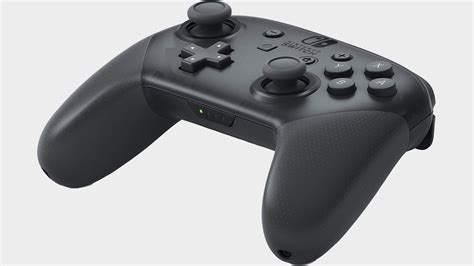
Despite best efforts, drift can still occur. If preventative measures fail, consider Nintendo’s official repair service. In many regions, Nintendo offers free Joy-Con drift repair, even out of warranty. If repair isn’t an option or you prefer a new start, purchasing new Joy-Cons or a Pro Controller (for docked play) might be necessary.
Conclusion
While Joy-Con drift remains a frustrating design flaw for many, adopting a routine of careful handling, regular cleaning, and utilizing protective accessories can significantly extend the life of your Nintendo Switch controllers. By being proactive, you can keep your gaming experience smooth and uninterrupted, enjoying your favorite titles without the annoyance of phantom movements.


