





How to optimize Switch battery life for extended play on the go?

Mastering Your Switch’s Endurance for Portable Gaming
The Nintendo Switch is a marvel of portable gaming, offering console-quality experiences wherever you go. However, a common challenge for many players is the console’s battery life, especially during long commutes, flights, or adventures away from a power outlet. Optimizing your Switch’s battery can mean the difference between epic boss battles and a frustratingly dark screen. This guide will walk you through essential tips and tricks to squeeze every last minute out of your console’s charge.
System Settings: Your First Line of Defense
Many of the most effective battery-saving measures are found directly within your Switch’s system settings. A few tweaks here can make a significant impact.
1. Lower Screen Brightness
The screen is one of the biggest power consumers. Go to System Settings > Screen Brightness and manually lower it to a comfortable level. You’ll be surprised how much less bright you need it to be, especially indoors or in dimly lit environments. Avoid auto-brightness if possible, as it can sometimes over-compensate and use more power than necessary.
2. Disable HD Rumble and Vibration
While immersive, the HD Rumble feature in your Joy-Cons or Pro Controller consumes power. If battery life is your priority, consider turning it off. Navigate to System Settings > Controllers and Sensors > Controller Vibration and set it to ‘Off’.
3. Turn Off Wi-Fi and Bluetooth (When Not Needed)
Wireless communication constantly scans for networks and devices, draining power. If you’re playing offline single-player games, there’s no need for Wi-Fi or Bluetooth to be active. You can quickly toggle Wi-Fi from the Quick Settings menu (hold down the Home button). For Bluetooth, consider disconnecting any accessories not in use.
4. Adjust Auto-Sleep Settings
Ensure your Switch goes to sleep relatively quickly when inactive. Go to System Settings > Sleep Mode and set ‘Auto-Sleep (Playing)’ and ‘Auto-Sleep (Console Menu)’ to shorter durations, such as 5 or 10 minutes. This prevents the console from staying awake and draining power if you step away.
Game-Specific Optimizations and Habits
How you play your games can also influence battery consumption.
1. Exit Games Properly
When you’re done playing, don’t just put the Switch to sleep. Press the Home button, highlight the game, press ‘X’, and select ‘Close’. This fully quits the game, ensuring it’s not running in the background and consuming power.
2. Prioritize Lower Performance Modes (If Available)
Some games offer performance or quality modes. If you’re looking to extend battery life, opting for a ‘performance’ or ‘power-saving’ mode (if the game provides one) might reduce graphical intensity or frame rate, thereby consuming less power. However, this is less common for Switch games compared to other platforms.
3. Digital vs. Physical Games
While the difference is minimal, playing digital games installed on your Switch’s internal storage or SD card can theoretically use slightly less power than constantly reading data from a physical game cartridge.
Hardware & External Solutions
Sometimes, software tweaks aren’t enough, and external solutions become necessary.
1. Invest in a Quality Power Bank
A reliable portable power bank is indispensable for extended play on the go. Look for one with a high capacity (at least 10,000mAh for a full charge, preferably 20,000mAh or more for multiple charges) and USB-PD (Power Delivery) support to charge your Switch at its optimal speed.
2. Maintain Battery Health
Like all lithium-ion batteries, your Switch’s battery degrades over time. Avoid consistently draining it to 0% or leaving it fully charged for extended periods when not in use. For long-term storage, aim for around 50-70% charge.
3. Consider Newer Switch Models
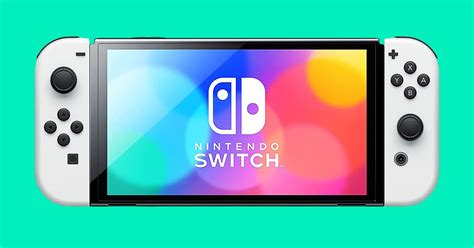
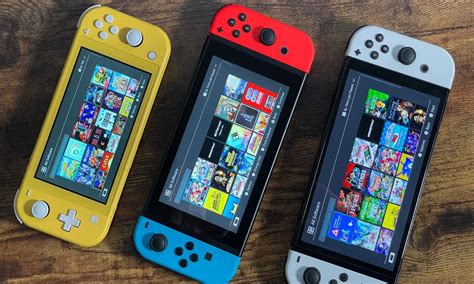
If battery life is a paramount concern and you’re in the market for a new console, newer revisions of the original Switch (recognizable by slightly different packaging) offer significantly improved battery life compared to launch models. The Switch OLED model also boasts excellent battery endurance, and the Switch Lite, while smaller, is also very efficient.

Environmental Factors & Software Updates
Don’t overlook these subtle yet important factors.
1. Avoid Extreme Temperatures
Operating your Switch in very hot or very cold environments can negatively impact battery performance and longevity. Stick to moderate temperatures whenever possible.
2. Keep Software Updated
Nintendo regularly releases system updates that can include optimizations for battery efficiency and overall system performance. Always keep your console’s software up to date.
Conclusion
Maximizing your Nintendo Switch’s battery life on the go involves a combination of smart system settings, mindful gaming habits, and potentially external power solutions. By implementing these tips, you can significantly extend your playtime, ensuring your portable gaming adventures last as long as you do. Happy gaming!


