Switch storage full? What SD card capacity for digital games & downloads?
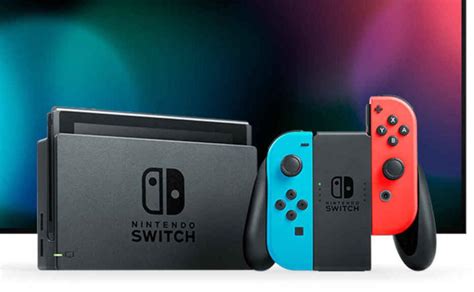
The Nintendo Switch has revolutionized portable gaming, but its relatively modest internal storage can quickly become a bottleneck for even casual gamers. With digital game sizes increasing and essential updates piling up, understanding your SD card needs is crucial for an uninterrupted gaming experience. If you’ve ever stared at that ‘storage full’ message with dread, this guide is for you.
Why Your Nintendo Switch Needs an SD Card
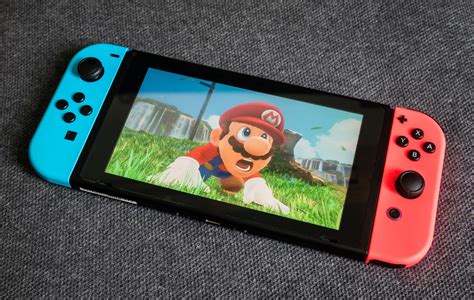
Out of the box, the standard Nintendo Switch comes with 32GB of internal storage, while the OLED model boasts 64GB. While this sounds like a decent amount, a significant portion is reserved for the system’s operating software. What’s left for games, updates, and screenshots rapidly dwindles once you start downloading titles from the eShop. Even physical cartridges often require digital patches and DLC that consume internal space.
An SD card, specifically a microSD card, is the official and most effective way to expand your Switch’s storage. It allows you to download more games, store extensive updates, and keep all your captured screenshots and video clips without constantly deleting content to make room.
Understanding SD Card Types for Switch
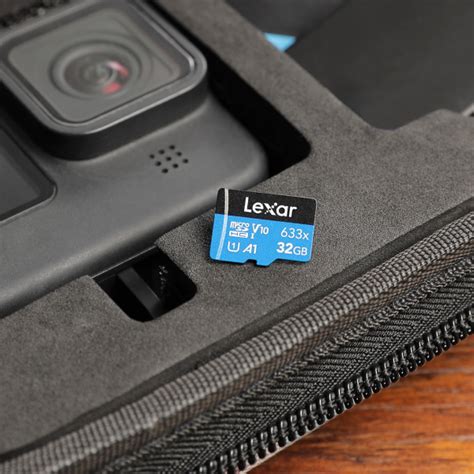
The Nintendo Switch exclusively uses microSD cards. When choosing one, you’ll encounter various terms and specifications, but a few are key:
- Capacity: Measured in Gigabytes (GB) or Terabytes (TB), this is the total space available.
- Speed Class: Indicated by symbols like ‘C10’, ‘UHS-I’ (U1 or U3), or ‘V’ classes. For the Switch, Nintendo recommends a UHS-I (Ultra High Speed Phase I) compatible card with a transfer speed of 60-95 MB/s. Look for U1 or U3 ratings; U3 cards offer faster minimum write speeds, which can slightly improve loading times for some games.
- Brand: Stick to reputable brands like SanDisk, Samsung, Lexar, PNY, or Kingston to ensure reliability and advertised speeds.
How Much Capacity Do You Really Need?
Determining the right capacity depends heavily on your gaming habits. Digital game sizes vary wildly:
- Small Indie Titles: A few hundred MB to 5GB.
- Mid-Range Titles: 5GB to 15GB (e.g., Mario Kart 8 Deluxe, Animal Crossing: New Horizons).
- Large AAA Games: 15GB to over 30GB (e.g., The Legend of Zelda: Tears of the Kingdom, Pokémon Scarlet/Violet with updates).
Don’t forget that game updates, DLC, and even game saves (though small) also eat into your storage. Screenshots and recorded video clips, especially in higher quality, can also accumulate quickly.
Recommendations Based on Usage
To help you decide, here are some common scenarios:
Casual Gamer (Mostly Physical Cartridges, Few Digital Downloads)
- Recommended: 64GB or 128GB MicroSD card.
- Why: This provides ample space for essential system updates, a handful of smaller eShop titles, and any DLC for your physical games without breaking the bank.
Moderate Gamer (Mix of Physical & Digital, Regular eShop Purchases)
- Recommended: 256GB or 400GB MicroSD card.
- Why: A popular choice for many, this capacity offers a comfortable buffer for a growing digital library, numerous updates, and still allows you to keep several large digital games installed simultaneously.
Heavy Digital Gamer (Extensive Digital Library, All-Digital Preference)
- Recommended: 512GB, 1TB, or even 1.5TB MicroSD card.
- Why: If you prefer to buy all your games digitally and like to have a vast collection ready to play, then investing in a larger card is essential. This future-proofs your Switch against ever-growing game sizes and new releases.
Factors Beyond Game Size
- System Updates & Patches: These can be surprisingly large and mandatory.
- DLC: Downloadable content adds significant bulk to games.
- Screenshots & Video Captures: If you frequently capture gameplay moments, these files accumulate quickly.
- Future-Proofing: Games aren’t getting smaller. It’s often wise to buy a capacity slightly larger than you currently think you need to avoid upgrading again too soon.
Tips for Choosing and Installing Your SD Card
When you’ve settled on a capacity:
- Choose a Reputable Brand: Stick to well-known manufacturers to avoid counterfeit cards with fake capacities or slower speeds.
- Prioritize U3 Speed: While U1 is acceptable, a U3 rated card provides faster minimum write speeds, which can offer a slight performance edge for large game installations and loading times.
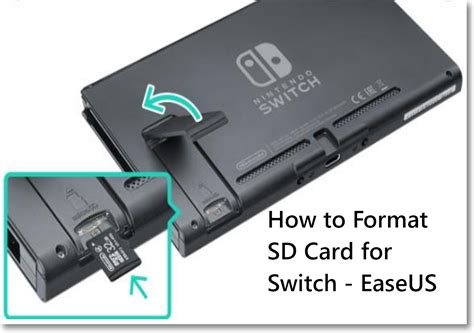
- Installation is Simple: The microSD card slot is located under the kickstand on the back of your Switch. Simply insert the card, ensuring it clicks into place.
- Transfer Data: If you’re upgrading from an older, smaller SD card or moving data from internal storage, you can manage this through the Switch’s System Settings under ‘Data Management’.
Running out of storage on your Nintendo Switch is an inevitable hurdle for most owners. However, by choosing the right microSD card capacity, you can ensure your console remains a source of endless entertainment without the frustration of constant data management. Evaluate your gaming habits, consider future needs, and invest in a quality card to keep your digital adventures flowing seamlessly.