




My Nintendo Switch storage is full! Best way to expand for digital games?

Running out of space on your Nintendo Switch is a common plight for digital game enthusiasts. With an ever-expanding library of amazing titles, the console’s internal storage can fill up surprisingly fast. Thankfully, expanding your Switch’s storage is straightforward and relatively inexpensive. Let’s explore the best way to ensure you never have to delete a beloved game again.
Understanding Your Switch’s Storage Limitations
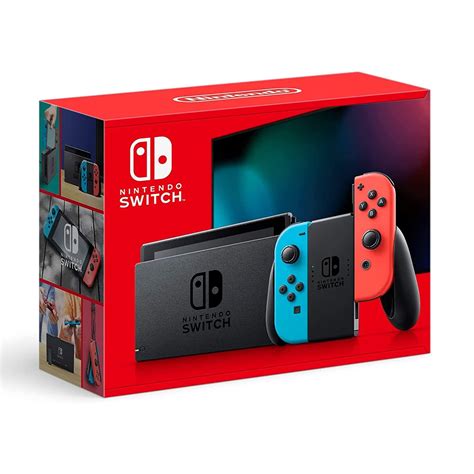
The standard Nintendo Switch and Switch Lite come with 32GB of internal storage, while the Nintendo Switch OLED model boasts 64GB. While this might sound decent, a portion is reserved for the system software, leaving you with even less usable space. Modern games, especially AAA titles, can range from a few gigabytes to over 20GB, making the internal storage a bottleneck for anyone who prefers digital downloads.
The Go-To Solution: MicroSD Cards
Nintendo designed the Switch with easy storage expansion in mind, officially supporting microSD (microSDHC and microSDXC) cards. This is by far the most practical, cost-effective, and widely adopted method to significantly boost your console’s capacity.
Choosing the Right MicroSD Card Capacity
When selecting a microSD card, capacity is king. Here’s a breakdown of common options and what they typically offer:
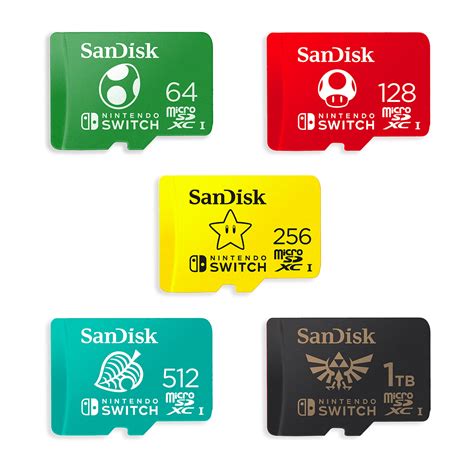
- 128GB: A good starting point if you’re on a budget and only download a handful of games, or if most of your games are physical cartridges.
- 256GB: This is often considered the sweet spot for many users. It provides ample space for a significant digital library without breaking the bank.
- 512GB: For serious digital collectors or those who want to be future-proof, 512GB offers a vast amount of storage, allowing you to download dozens of large titles.
- 1TB: If you truly want to download almost everything and never worry about space, a 1TB card is the ultimate choice, though it comes at a higher premium.
Consider your gaming habits: do you play many indie games, which are smaller, or do you gravitate towards large AAA titles? This will dictate your ideal capacity.

Speed Matters (But Not Excessively)
While microSD cards come in various speed classes, the Nintendo Switch only supports UHS-I (Ultra High Speed Phase I) cards. There’s no benefit to purchasing faster UHS-II or UHS-III cards, as the Switch won’t utilize their higher speeds. Look for cards with a U1 or U3 speed class (often indicated by a ‘1’ or ‘3’ inside a ‘U’ symbol). A U3 (or V30) rated card will offer faster read/write speeds, potentially leading to quicker game loading times and faster downloads/installs, but even U1 cards are perfectly adequate.
Installation and Data Management
Installing a microSD card is incredibly simple. Locate the kickstand on the back of your Switch (or the flap on the Lite), lift it, and you’ll find the microSD card slot. Simply insert the card until it clicks into place. The Switch will automatically recognize it.
For data management:
- New Downloads: Any new digital games, DLC, or updates will automatically save to your microSD card if one is present.
- Moving Existing Data: You can move games already stored on your internal memory to the microSD card. Go to System Settings > Data Management > Move Data Between System / microSD Card. Note that while game data can be moved, save data is always stored on the console’s internal memory and cannot be transferred to the microSD card.
Other Considerations
- Reputable Brands: Always purchase microSD cards from reputable brands like SanDisk, Samsung, or Lexar. Counterfeit cards are unfortunately common and can lead to data loss or performance issues.
- Formatting: The Switch will format the card to its preferred file system (typically FAT32 or exFAT) upon first use or if it detects an unsupported format.
Conclusion
Don’t let limited storage hold back your gaming adventures. A high-capacity microSD card is the ultimate solution for expanding your Nintendo Switch’s memory, ensuring you have plenty of room for all your digital game downloads, updates, and DLC. Choose a reputable brand, select a capacity that suits your needs, and get back to enjoying your ever-growing library of games without compromise!


