





How to fix common Nintendo Switch Joy-Con drift issues?
Understanding Joy-Con Drift
Joy-Con drift is a frustrating issue where your Nintendo Switch controller registers movement even when the analog stick is not being touched. This phantom input can lead to characters moving on their own, camera angles shifting uncontrollably, or menus scrolling without input, significantly impacting the gaming experience. While Nintendo has acknowledged the problem, it remains a common complaint among Switch owners. The primary culprits are usually wear and tear on the internal components of the analog stick, dust or debris accumulating beneath the stick, or sometimes, software glitches.

Initial Software Troubleshooting Steps
Before diving into hardware solutions, it’s always best to rule out software-related issues. These steps are quick, easy, and don’t require any tools.
Update Your Nintendo Switch System and Joy-Cons
Ensure your Nintendo Switch console and Joy-Cons are running the latest firmware. Nintendo frequently releases updates that can include bug fixes which might address controller performance. To check for updates:
- Go to System Settings on your HOME Menu.
- Scroll down to ‘System’.
- Select ‘System Update’.
- To update Joy-Cons, go to ‘Controllers and Sensors’ > ‘Update Controllers’.
Calibrate Your Joy-Con Sticks
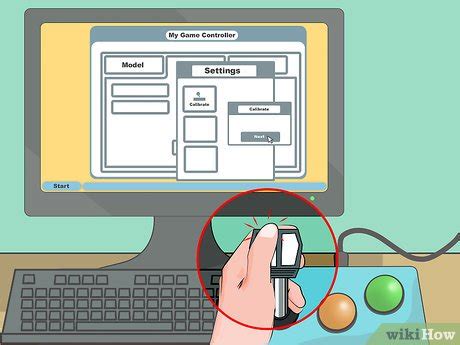
Recalibrating your Joy-Cons can often resolve minor drift issues by resetting the controller’s perception of the stick’s neutral position. Follow these steps:
- From the HOME Menu, go to System Settings > Controllers and Sensors.
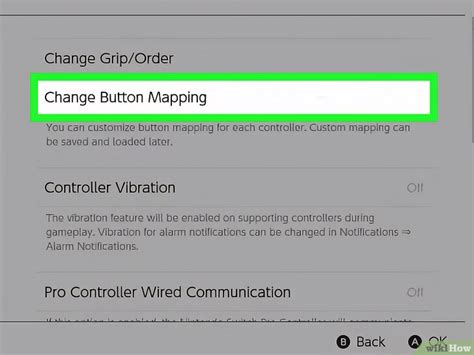
- Select ‘Calibrate Control Sticks’.
- Follow the on-screen instructions to select the drifting stick and perform the calibration. This involves tilting the stick in all directions and then confirming its neutral position.
Hardware Solutions: Cleaning and Repair
If software fixes don’t work, the problem is likely hardware-related. These solutions range from simple cleaning to more involved component replacement.
Cleaning Under the Stick with Compressed Air or Contact Cleaner
Often, dust, lint, or other debris can get underneath the analog stick’s rubber skirt, interfering with its sensors. This is a relatively low-risk hardware fix:
- Turn off your Switch and detach the Joy-Cons.
- Gently lift the rubber skirt at the base of the analog stick.
- Use a can of compressed air with a thin nozzle to blow air into the gap, aiming to dislodge any trapped debris. Hold the can upright to prevent propellant discharge.
- Alternatively, a small amount of electrical contact cleaner (specifically designed for electronics, e.g., isopropyl alcohol-based) can be sprayed into the gap. Work the stick around after applying to help distribute the cleaner. Allow it to fully dry before reattaching to the Switch.

Replacing the Analog Stick Module (DIY)
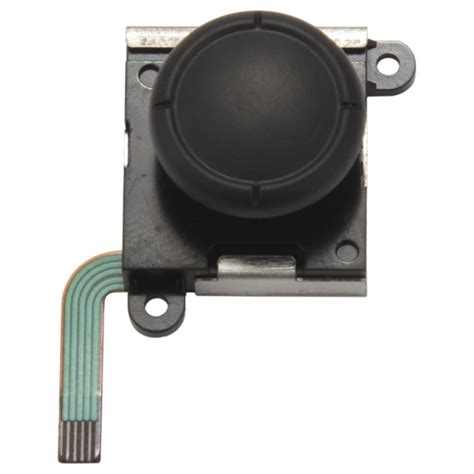
If cleaning doesn’t resolve the drift, the analog stick module itself may be worn out and need replacement. This is a more advanced DIY repair that requires specific tools (Y00 screwdriver, Phillips #00 screwdriver, spudger, tweezers) and a replacement analog stick module. Be aware that opening your Joy-Con can void its warranty.
- Watch a detailed video tutorial on Joy-Con stick replacement to familiarize yourself with the process.
- Carefully open the Joy-Con, disconnecting internal ribbon cables.
- Remove the battery and the midframe.
- Unscrew and replace the faulty analog stick module with the new one.
- Reassemble the Joy-Con, ensuring all cables are properly connected.
- After replacement, perform the stick calibration process again.
When to Seek Professional Help or Warranty Service
If you’re uncomfortable with DIY repairs or if your Joy-Cons are still under warranty, contacting Nintendo’s official support is often the best course of action. Nintendo has a history of offering free repairs for Joy-Con drift, even out of warranty in some regions. Check their official support website for current policies and instructions on how to send in your controllers for repair.
Preventing Future Drift
While drift can be an inevitable outcome of extensive use, you can take steps to potentially prolong the life of your Joy-Cons:
- Use protective stick covers: These can help reduce wear on the stick’s surface and the internal mechanism.
- Handle with care: Avoid aggressive pushing or pulling on the analog sticks.
- Keep them clean: Periodically clean around the base of the sticks to prevent dust buildup.
Conclusion
Joy-Con drift is a frustrating but often fixable issue. By systematically working through software fixes, cleaning methods, and potentially a DIY replacement, you can often restore your controllers to full functionality. Remember to always prioritize warranty options if available and to exercise caution with any internal repairs. With a little effort, you can get back to enjoying your Nintendo Switch games without phantom movements interfering with your experience.


