





How to use parental controls for safe, age-appropriate online gaming?

Navigating the Digital Playground: Why Parental Controls are Essential
In today’s digital age, online gaming is a ubiquitous form of entertainment for children. While offering countless benefits like problem-solving skills, creativity, and social interaction, it also presents a unique set of challenges and risks. From exposure to inappropriate content and cyberbullying to excessive screen time and uncontrolled spending, parents often feel overwhelmed by the need to ensure their children’s safety. Fortunately, parental controls offer a robust solution, empowering parents to create a secure, age-appropriate gaming environment.

Understanding the Pillars of Safe Gaming
Effective parental control isn’t a one-size-fits-all solution; it involves a multi-faceted approach. By understanding the core aspects you can manage, you can tailor settings to your child’s specific needs and maturity level. Here are the key areas to focus on:
1. Content and Age Ratings
The most fundamental control is managing what games your child can access. Gaming platforms and individual games come with age ratings (e.g., ESRB in North America, PEGI in Europe). Parental controls allow you to restrict access to games based on these ratings, ensuring your child only plays titles suitable for their age. Beyond explicit age gates, you can often filter out specific types of content, such as violence, language, or gambling themes.
2. Screen Time and Play Schedules
One of the biggest concerns for parents is the amount of time children spend gaming. Parental controls are incredibly effective in setting daily or weekly time limits. You can schedule specific playtimes, block access during school hours or bedtime, and even pause gameplay remotely. This helps promote a healthy balance between gaming and other activities like homework, outdoor play, and family time.

3. Communication and Social Interaction
Online games often include multiplayer features, allowing children to interact with others. While this can be a positive social experience, it also opens the door to potential issues like cyberbullying, exposure to inappropriate language, or interaction with strangers. Parental controls can restrict or disable in-game chat features, block friend requests, or limit interactions to pre-approved friends lists. Some platforms even offer options to monitor communications or report suspicious activity.
4. In-Game Purchases and Spending
Many free-to-play games and even some paid titles offer in-game purchases for cosmetic items, power-ups, or new content. These microtransactions can quickly add up, leading to unexpected bills. Parental controls allow you to disable in-game purchases entirely, require a password for every transaction, or set spending limits. Linking a specific payment method that requires explicit approval is another common feature.
Where to Find Parental Controls
Parental control settings are typically found in a few key places:
- Gaming Consoles (PlayStation, Xbox, Nintendo Switch): Each console has a dedicated section in its system settings for parental controls, usually accessible from the main dashboard.
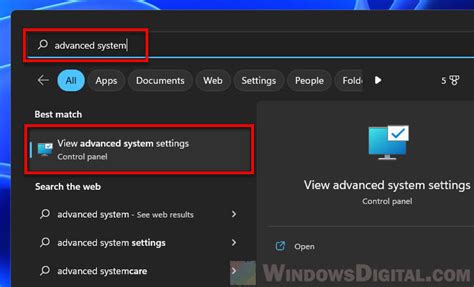
- PC Gaming Platforms (Steam, Epic Games Store): Digital storefronts and launchers often have their own family settings or content filtering options. Operating systems (Windows, macOS) also offer robust built-in parental controls.
- Mobile Devices (iOS, Android): Both Apple and Google provide comprehensive “Screen Time” (iOS) and “Digital Wellbeing” (Android) features that allow parents to manage app usage, set time limits, restrict content, and control purchases across all apps, including games.
- Individual Game Settings: Some games have their own internal settings for chat, privacy, or content filters that can be adjusted.
Beyond Controls: The Power of Open Communication
While parental controls are powerful tools, they are most effective when coupled with open and honest communication with your child. Discussing the reasons behind the rules, understanding their gaming experiences, and teaching them about online safety are crucial. Encourage them to talk to you if they encounter anything uncomfortable or concerning online. This approach fosters trust and empowers children to make safer choices even when controls aren’t present.

Conclusion: Balancing Fun and Protection
Utilizing parental controls for online gaming isn’t about stifling fun; it’s about creating a secure framework that allows children to explore the digital world safely and responsibly. By setting age-appropriate limits on content, screen time, social interaction, and spending, parents can mitigate risks and ensure that gaming remains a positive and enriching experience for their kids. Remember, technology is a tool, and with the right controls and open dialogue, you can help your child navigate the online gaming landscape with confidence and joy.



