





How to prevent excessive data usage and battery drain when playing online mobile games?
Online mobile gaming offers endless entertainment, but it often comes with the dual challenges of rapid data consumption and quick battery depletion. These issues can cut short your gaming sessions and lead to unexpected charges. Fortunately, with a few smart adjustments and habits, you can significantly mitigate both problems, ensuring a smoother and more economical gaming experience.
Minimizing Excessive Data Usage
Data usage can skyrocket with online games, especially those with frequent updates, high-fidelity graphics, or constant server communication. Here’s how to keep it in check:
- Prioritize Wi-Fi: Always connect to a stable Wi-Fi network when playing online games, downloading updates, or installing new games. This is the most effective way to avoid cellular data charges.
- Adjust In-Game Settings: Many games offer graphic quality settings. Opting for “medium” or “low” quality often has a minimal impact on gameplay but can significantly reduce data transfer, especially for games that stream assets. Look for options like “download assets on Wi-Fi only” as well.
- Restrict Background Data: Your phone’s settings allow you to control which apps can use data in the background. Disable background data for your mobile games to prevent them from consuming data when you’re not actively playing.
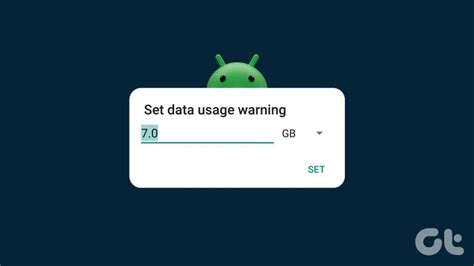
- Utilize Data Saver Modes: Both Android and iOS offer system-wide data saver features. Enabling these can limit data usage across all apps, including games, by restricting background activity and reducing data consumed by some foreground apps.
- Disable Auto-Updates Over Cellular: Ensure your app store (Google Play Store or Apple App Store) is set to only download app updates when connected to Wi-Fi. Game updates can be massive and quickly exhaust your data plan.
Combating Rapid Battery Drain
Online gaming pushes your phone’s hardware, leading to increased power consumption. Here’s how to extend your playtime:
- Lower Screen Brightness: The screen is often the biggest battery consumer. Reduce your screen brightness to the lowest comfortable level, especially in darker environments. Auto-brightness can also be efficient.
- Disable Background App Refresh/Activity: Just like with data, apps running in the background consume power. Disable background refresh for non-essential apps, and close any apps you’re not actively using before starting a game.
- Adjust In-Game Graphics Settings: High-fidelity graphics demand more processing power, which translates directly to more battery usage. Lowering graphics quality, frame rates, or resolution within game settings can significantly reduce battery drain without severely compromising the gaming experience.
- Enable Power Saving Mode: Most smartphones have a built-in power-saving mode. Activating this before a gaming session can throttle CPU performance, reduce screen resolution, and limit background processes, all of which conserve battery life.

- Turn Off Unnecessary Connectivity: If you’re playing offline or don’t need them, disable Bluetooth, NFC, and Location Services (GPS). These constantly search for connections or pinpoint your location, draining battery.
- Close Unused Apps: Before diving into a game, ensure all other unnecessary apps are fully closed from your recent apps list. Each background app contributes to CPU and RAM usage, thus drawing power.
- Keep Your Device Cool: Overheating can impact battery efficiency and long-term battery health. Play in a well-ventilated area, remove your phone case if it’s contributing to heat buildup, and avoid charging while heavily gaming, as this generates extra heat.

Holistic Approaches for Better Gaming
Beyond individual settings, a few broader practices can help:
- Monitor Usage: Regularly check your phone’s data and battery usage statistics in your settings. This helps identify which games or apps are the biggest culprits, allowing you to fine-tune your approach.
- Update Your Games and OS: Developers often release updates that include optimizations for performance and battery efficiency. Keep your games and smartphone’s operating system up to date.
- Consider a Gaming Phone or External Battery: If mobile gaming is a significant part of your daily routine, investing in a phone designed for gaming (often with larger batteries and better cooling) or a portable power bank can be a worthwhile solution.

Conclusion
Enjoying online mobile games doesn’t have to come at the cost of your data plan or battery life. By proactively managing your device’s settings, adjusting in-game options, and adopting smarter gaming habits, you can significantly extend your playtime and avoid unnecessary costs. Implement these tips to get the most out of your mobile gaming adventures.