





How to track game price drops & get alerts for desired titles?
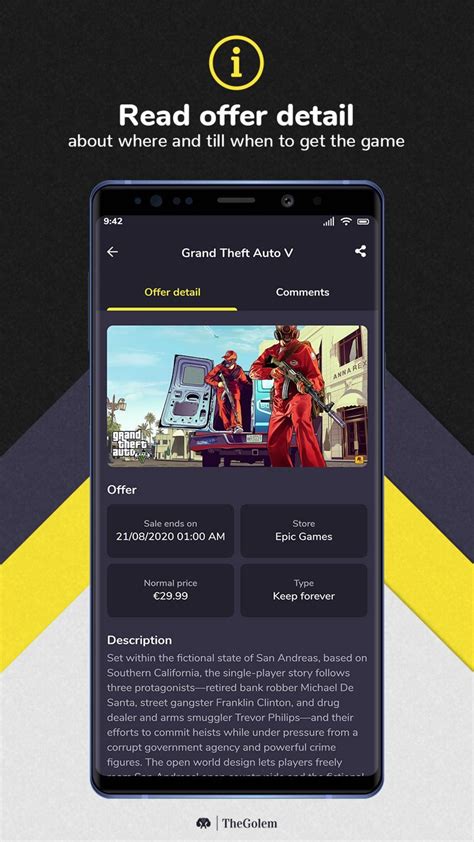
The Quest for Cheaper Games: Your Guide to Price Tracking
In the vast and ever-evolving world of video games, finding the perfect title at the right price can feel like a challenge. Games often launch at full price, but patience can be a virtue, as discounts and sales are a regular occurrence. For savvy gamers looking to expand their library without breaking the bank, tracking price drops and setting up alerts is an essential skill. This guide will walk you through the best methods and tools to ensure you snag those desired titles at their lowest possible price.
Why Tracking Game Prices is a Game-Changer
Monitoring game prices offers numerous benefits beyond just saving money. It allows you to budget more effectively for your gaming hobby, ensuring you allocate funds wisely. Furthermore, it helps you discover deals on titles you might have forgotten about or were waiting for a significant discount on. By understanding historical price data, you can make informed decisions, knowing whether a current sale is truly a good deal or if a deeper discount might be just around the corner.

Top Tools and Strategies for Price Tracking
Several excellent resources are available to help you keep tabs on game prices across different platforms. Combining a few of these methods will give you the most comprehensive coverage.
Dedicated Price Tracking Websites & Apps
These platforms specialize in aggregating game prices from various digital storefronts, often including historical data and custom alert features. They are indispensable for serious deal hunters.
- IsThereAnyDeal: An incredibly powerful tool that tracks prices across PC storefronts (Steam, Epic Games Store, GOG, Humble Store, etc.). It offers historical lows, bundles, and a robust wishlist system with email alerts.
- CheapShark: Similar to IsThereAnyDeal, CheapShark focuses on PC games, providing price comparisons and a straightforward alert system.
- DekuDeals (Nintendo Switch): Essential for Nintendo Switch owners, DekuDeals tracks eShop prices, physical game deals, and amiibo. It provides comprehensive price history and excellent alert options.
- PSNProfiles & TrueAchievements (PlayStation & Xbox): While primarily known for trophy/achievement tracking, these sites also offer robust features for tracking game sales on their respective platforms, including wishlists and notifications.
Platform-Specific Wishlists & Notifications
Most major digital storefronts now offer built-in wishlist functionalities that will notify you when a game you’re interested in goes on sale.
- Steam Wishlist: The Steam platform allows you to add any game to your wishlist. When a game on your list goes on sale or is part of a special promotion, you’ll receive an email notification.
- PlayStation Store Wishlist: Similar to Steam, the PS Store lets you add games to a wishlist and sends notifications for price drops.
- Xbox Store Wishlist: Xbox also provides a wishlist feature within its store interface, alerting you to sales on your desired titles.
- Nintendo eShop: While not a traditional wishlist with email alerts, the eShop often highlights games you’ve shown interest in when they are discounted, and third-party tools like DekuDeals (mentioned above) fill this gap perfectly.

Browser Extensions
Some browser extensions can integrate price tracking directly into your shopping experience, showing historical prices or alerting you to deals as you browse storefronts.
Community Forums & Subreddits
Dedicated communities often share the best deals as soon as they drop, sometimes even before automated systems catch them. Websites like r/GameDeals on Reddit are excellent resources, with users constantly posting verified deals across all platforms and regions.
Setting Up Your Alerts: A Step-by-Step Guide
While each platform varies slightly, the general process for setting up price drop alerts is similar:
- Create an Account: Register on your chosen price tracking website (e.g., IsThereAnyDeal, DekuDeals). This usually allows you to save your preferences and wishlists.
- Build Your Wishlist: Start adding all the games you’re interested in, regardless of their current price.
- Set Price Thresholds: Many sites allow you to specify the percentage discount or exact price you’re willing to pay for a game before it triggers an alert.
- Choose Notification Method: Opt for email alerts, browser notifications, or even RSS feeds, depending on the service and your preference.
- Integrate with Store Wishlists: Don’t forget to also add games to the native wishlists on Steam, PlayStation Store, Xbox Store, etc., for additional layers of notification.
Tips for Savvy Game Deal Hunting
- Be Patient: Most games will eventually go on sale. If you’re not in a hurry, waiting for a significant discount can save you a lot.
- Check Historical Lows: Always compare the current sale price to the game’s historical lowest price. This helps you understand if it’s truly a good deal.
- Consider Bundles: Keep an eye out for game bundles (e.g., Humble Bundle, Fanatical) which often offer multiple games for a fraction of their individual cost.
- Regional Pricing: Be aware that prices and sales can vary significantly by region. Ensure your tracking tools are set to your correct region.
- Follow Social Media: Many publishers and storefronts announce flash sales and discounts on their social media channels.

Conclusion
Tracking game price drops and setting up alerts is a simple yet powerful way to maximize your gaming budget. By utilizing a combination of dedicated tracking websites, platform-specific wishlists, and community resources, you can ensure you’re always informed about the best deals. Happy gaming, and may your library grow ever larger without shrinking your wallet!



