





Best Nintendo Switch SD card for expanding game storage & digital downloads?

Why Your Nintendo Switch Needs an SD Card
The Nintendo Switch, a marvel of portable gaming, comes with a respectable but often insufficient 32GB or 64GB of internal storage (depending on the model). While this is enough for a few smaller games or physical cartridge save data, avid gamers quickly find themselves running out of space, especially with the ever-growing library of digital downloads from the eShop. High-profile titles can easily gobble up 10-20GB each, making an SD card an essential upgrade rather than a luxury.
Expanding your Switch’s storage means you can keep more games installed, avoid the tedious process of deleting and re-downloading titles, and take advantage of all those fantastic eShop sales. But not just any SD card will do; you need one that’s fast, reliable, and offers sufficient capacity to meet your gaming demands.

Understanding SD Card Types for Nintendo Switch
The Nintendo Switch exclusively uses microSD cards. However, there are different classifications within microSD cards, and understanding them is crucial for choosing the right one:
- microSDHC (High Capacity): These cards range from 4GB to 32GB. While compatible, their capacity is often too small for a serious Switch gamer.
- microSDXC (Extended Capacity): Ranging from 64GB to a massive 2TB, these are the cards you should be looking at for your Switch. They offer the necessary space for modern games.
Beyond capacity, speed ratings are paramount. Look for cards with ‘UHS-I’ (Ultra High Speed-I) support and a ‘U1’ or ‘U3’ speed class rating. A higher number (U3 is faster than U1) indicates better performance for reading and writing data, which translates to faster game loading times and smoother gameplay.
Key Factors to Consider When Choosing an SD Card
Capacity: How Much Space Do You Really Need?
This is often the first question gamers ask. While 64GB or 128GB might seem like a good starting point, many find themselves upgrading again soon after. Consider these options:
- 128GB – 256GB: Good for casual gamers or those who mostly buy physical cartridges. Will hold a decent collection of digital titles.
- 400GB – 512GB: An excellent sweet spot for most dedicated Switch owners. Provides ample space for a large digital library without breaking the bank.
- 1TB: For the ultimate collector or those who want to download everything. This capacity ensures you’ll rarely, if ever, run out of space, but comes at a higher price point.
Remember that some internal storage is always used by the system itself, so you’ll never have the full advertised capacity available for games.
Speed: Read and Write Performance
The Nintendo Switch can take advantage of UHS-I speeds up to 100MB/s. While cards might advertise higher speeds (e.g., 170MB/s or more), the Switch itself won’t utilize speeds beyond its internal limitations. Therefore, prioritize cards with a high read speed (close to 100MB/s) and a respectable write speed (around 60-90MB/s) for optimal game loading and transfer times.
Reliability and Brand Reputation
Investing in a reputable brand is crucial for data integrity and longevity. Well-known manufacturers like SanDisk, Samsung, and Lexar offer robust warranties and a proven track record of quality. Avoiding generic or unbranded cards can save you headaches down the line.
Top Recommended SD Cards for Nintendo Switch
Based on performance, reliability, and value, here are some of the best microSD cards for your Nintendo Switch:

1. SanDisk microSDXC for Nintendo Switch
Specifically licensed by Nintendo, these cards feature iconic branding (like a Mario mushroom or a Triforce) and are optimized for the console. They offer excellent read speeds (up to 100MB/s) and reliable performance. Available in capacities from 64GB all the way up to 1TB, they are a safe and highly recommended choice for any Switch owner.
2. SanDisk Extreme/Extreme PRO microSDXC
While not Nintendo-branded, SanDisk’s Extreme series offers superior overall performance. With read speeds often exceeding 100MB/s (though the Switch caps at its limit) and impressive write speeds, these cards are ideal if you also plan to use them in other devices like cameras or smartphones. Their robust build quality makes them very durable.
3. Samsung EVO Select/EVO Plus microSDXC
Samsung’s EVO line provides an excellent balance of performance and value. These cards consistently deliver strong read and write speeds, making them a fantastic, cost-effective alternative to SanDisk. They are widely available in various capacities, from 64GB to 512GB and even 1TB, offering plenty of options for different budgets.
4. Lexar PLAY microSDXC
The Lexar PLAY series is designed specifically for gaming and offers U3 speed ratings, ensuring fast loading. They are often a more budget-friendly option while still providing competitive speeds and reliable performance, particularly for gaming on the Switch.
Installing and Managing Your SD Card
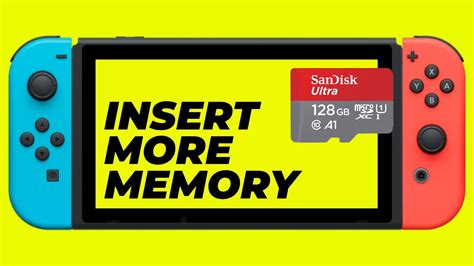
Installing an SD card in your Nintendo Switch is incredibly simple:
- Turn off your Nintendo Switch completely (don’t just put it to sleep).
- Open the kickstand on the back of the console to reveal the microSD card slot.
- Insert the microSD card into the slot until it clicks into place.
- Close the kickstand and power on your Switch.
The Switch will automatically recognize the new storage. You can manage your data by going to System Settings > Data Management. From here, you can move software between the internal storage and the SD card, delete data, and monitor your available space.
Conclusion
An SD card is an indispensable accessory for any Nintendo Switch owner looking to maximize their gaming experience. By choosing a reputable microSDXC card with sufficient capacity (256GB-512GB being ideal for most) and good speeds, you’ll ensure you have plenty of room for all your digital adventures. Invest wisely, and you’ll spend less time managing storage and more time playing your favorite games.


