





What’s the best way to expand Switch storage for more digital games?

The Ever-Growing Digital Library Dilemma
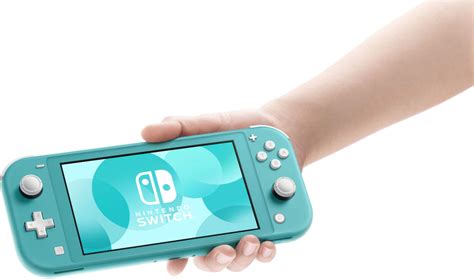
For Nintendo Switch owners, the joy of acquiring new digital games often comes with a looming shadow: limited storage space. The console’s internal memory, typically 32GB or 64GB for the OLED model, fills up surprisingly fast, especially with large AAA titles and numerous indie gems. When your library starts overflowing, managing games by constantly deleting and re-downloading becomes a chore. The good news is, expanding your Switch’s storage is not only possible but also incredibly straightforward.
The Indisputable Champion: MicroSD Cards
There’s one clear, undisputed best way to expand your Nintendo Switch’s storage: a microSD card. Unlike other consoles that might support external hard drives or specialized expansion cards, the Switch is designed specifically to utilize microSD, microSDHC, and microSDXC cards for game data. This method offers unparalleled convenience, portability, and ease of use, making it the definitive solution for any digital game enthusiast.

Choosing the Right MicroSD Card for Your Switch
While any microSD card will technically work, selecting the right one can optimize your gaming experience. Here’s what to look for:
- Capacity: Aim for microSDXC cards, as they support capacities from 64GB up to 2TB. Popular choices range from 128GB to 512GB, offering ample space for dozens of games. Consider your current library size and future download habits.
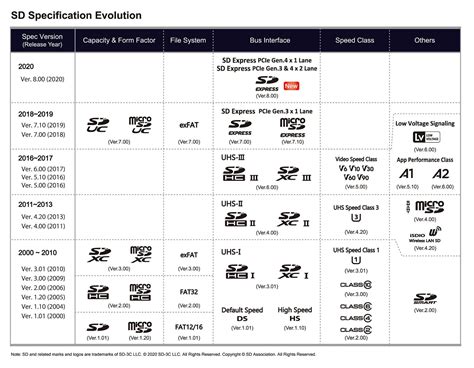
- Speed Class: Look for cards with a UHS-I (Ultra High Speed Phase I) rating, which is what the Switch supports. Within UHS-I, cards are rated U1 or U3. U3 cards offer faster read/write speeds, which can slightly reduce game loading times. Look for cards with an “A1” or “A2” rating as well, indicating optimized performance for app storage (which games essentially are on the Switch).
- Reliability: Stick with reputable brands known for quality and performance. While the Switch won’t utilize the absolute fastest speeds available on the market, a reliable card ensures data integrity and consistent performance.
Remember, the faster the card, the smoother your experience will likely be, though the difference might be negligible for many users after a certain speed threshold.
How Much Storage Do You Actually Need?
The ideal capacity depends entirely on your gaming habits. Here’s a rough guide:
- 128GB: Good for casual players with a moderate digital library, fitting 5-10 large games or many smaller ones.
- 256GB: A popular sweet spot for most gamers, offering plenty of room for a diverse collection without breaking the bank.
- 512GB: Excellent for avid collectors and those who prefer to keep a vast library ready to play without constant management.
- 1TB: For the ultimate digital hoarders, providing virtually limitless space for even the largest libraries.
Keep in mind that game sizes vary wildly, from a few hundred megabytes to over 30GB (or even more with DLC).

Installation and Management are a Breeze
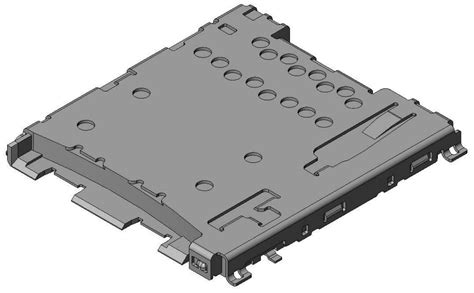
Installing a microSD card is incredibly simple. Locate the kickstand on the back of your Switch, flip it open, and you’ll find a slot for the microSD card. Simply insert the card until it clicks into place. The Switch will automatically recognize it. All future game downloads, updates, and screenshots will default to saving on the microSD card until it’s full.
If you’ve already filled your internal storage, you can move existing software data to the microSD card via the System Settings. This seamless integration makes managing your game library hassle-free.
Why Other Options Simply Don’t Cut It
Unlike some other consoles, the Nintendo Switch does not natively support external hard drives or standard USB flash drives for storing game data. While you can connect some USB devices to the dock, these are typically limited to media playback or specific accessories, not game installation. This makes the microSD card not just the best, but virtually the only viable and officially supported method for expanding your digital game storage.
Conclusion
For any Nintendo Switch owner looking to expand their digital game library, a high-quality microSDXC card is the definitive and most practical solution. It’s affordable, easy to install, and provides a significant boost to your console’s storage, ensuring you can download and enjoy every game that catches your eye without compromise. Invest in a good card, and you’ll never have to delete a beloved game again.


