





Switch storage full? Best MicroSD for indie & big games on console.
Never Delete a Game Again: Conquering Switch Storage Woes
It’s a familiar scenario for many Nintendo Switch owners: you’re browsing the eShop, eager to download the latest epic adventure or a charming indie darling, only to be greeted by the dreaded ‘insufficient space’ message. With games growing ever larger, the Switch’s internal storage, especially the original model’s 32GB, fills up remarkably quickly. Fortunately, expanding your console’s memory is incredibly simple and affordable thanks to MicroSD cards.

Why Your Switch Needs More Storage
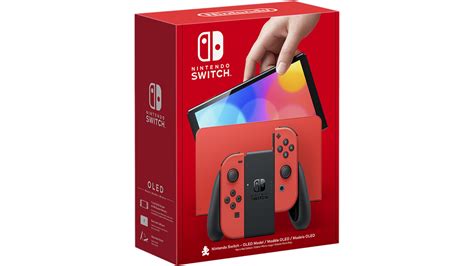
The Nintendo Switch, Switch Lite, and even the OLED model (with 64GB) come with limited internal memory. While digital-only indie games might be relatively small, blockbuster titles like The Legend of Zelda: Tears of the Kingdom or Doom Eternal can consume tens of gigabytes each. If you enjoy digital downloads, own several major titles, or plan to build a vast library of indie games, an external MicroSD card is not just an upgrade, it’s a necessity.
Choosing the Right MicroSD: What to Look For
Not all MicroSD cards are created equal. When selecting one for your Switch, consider these crucial factors:
Capacity: How Much Space Do You Really Need?
- 128GB: A good starting point for casual gamers or those who mostly play physical cartridges but need space for a few digital titles and updates.
- 256GB: A popular sweet spot, offering ample room for a decent mix of indie games and several AAA titles without breaking the bank.
- 512GB: Ideal for serious digital-only gamers who download many large titles. This capacity offers significant future-proofing.
- 1TB: The ultimate choice for collectors and digital hoarders. While more expensive, it virtually eliminates storage worries for the foreseeable future.
Speed: Understanding UHS-I, U3, and V30
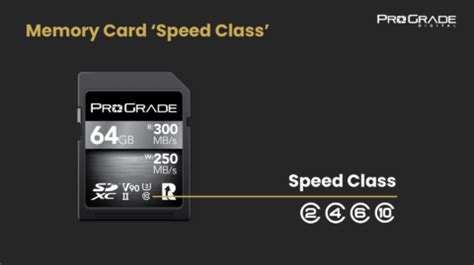
The Nintendo Switch supports UHS-I (Ultra High Speed Phase I) MicroSD cards, with a theoretical maximum speed of 104 MB/s. While faster UHS-II cards exist, the Switch cannot fully utilize their increased speeds, so investing in them isn’t cost-effective for console gaming. Look for cards with:
- Speed Class 10 (C10): The minimum recommended for games.
- UHS Speed Class 3 (U3): Offers a minimum write speed of 30 MB/s, which is excellent for gaming and ensures smoother loading times.
- Video Speed Class 30 (V30): Also guarantees a minimum write speed of 30 MB/s, providing similar performance to U3.
Ultimately, prioritize a card that is at least U3/V30 for optimal performance, but don’t overpay for speeds beyond what the Switch can handle.
Brand Reputation and Reliability
Stick to reputable brands known for quality and reliability. SanDisk, Samsung, and Lexar are consistently top performers in the MicroSD market, offering good warranties and consistent speeds. Avoiding off-brand cards can save you from potential data corruption or slower performance down the line.
Top MicroSD Recommendations for Nintendo Switch
Considering capacity, speed, and brand, here are our top picks for different types of gamers:
For the Indie Aficionado & Casual Gamer
If your library leans heavily towards smaller indie titles, or you mostly buy physical games, a 128GB or 256GB card is perfectly adequate.
- SanDisk Ultra MicroSDXC (U1/C10): A cost-effective choice for basic expansion.
- Samsung EVO Select MicroSDXC (U3/V30): A great value pick with better speeds for a slight price increase.

For the Balanced Gamer: Indie & Big Titles
This category suits players who download a mix of indie games and several larger AAA releases. A 256GB or 512GB card offers a good balance of storage and value.
- SanDisk Extreme MicroSDXC (U3/V30): Offers excellent U3 speeds and reliability.
- Samsung EVO Plus MicroSDXC (U3/V30): Another strong contender with consistent performance and good read/write speeds.
For the Digital Hoarder & Hardcore Player
If you’re building a massive digital library, frequently download new releases, or simply want to future-proof your storage, 512GB to 1TB is the way to go.
- SanDisk Extreme Pro MicroSDXC (U3/V30): Often the fastest UHS-I card available from a trusted brand, perfect for maximum performance.
- Lexar Play MicroSDXC (U3/V30): Specifically designed for gaming, offering high capacities and reliable speeds.

Installation and Management Tips
Installing a MicroSD card into your Switch is straightforward: simply open the kickstand and slide the card into the slot. The Switch will automatically recognize it. To move existing game data from your internal memory to the MicroSD, navigate to System Settings > Data Management > Move Data Between System / MicroSD Card. Always ensure your Switch is powered off before inserting or removing the MicroSD card to prevent data corruption.
Conclusion: Unlock Your Switch’s Full Potential
A high-quality MicroSD card is an indispensable accessory for any Nintendo Switch owner. By investing in the right card, you can put an end to agonizing decisions about which games to delete, ensuring your console is always ready for new adventures. Expand your horizons, download freely, and enjoy an uninterrupted gaming experience, whether you’re diving into vast open worlds or exploring unique indie universes.



